
Test the custom Blocks
Steps performed to test the blocks
Overview
You can quickly test how your Custom Blocks look and behave directly from the Superfans dashboard by setting sample values for their parameters and using the live preview.
This removes the need to repeatedly open your mobile app or Shopify admin just to verify small changes.
There are certain actions that cannot be tested in preview for which we would need to test on the real device.
Why this is helpful
Testing Custom Blocks in the dashboard lets you:
- See how different parameter values change the block
- Validate the block’s logic and layout before publishing
- Avoid switching back and forth between the dashboard and the admin app
- Speed up your design and development workflow
Variables configuration for testing
There are 3 major variables which can be tested on the preview for namely:
- Customer Variables
- Device Variables
- Shopify Helpers
Steps to test Customer Variables
-
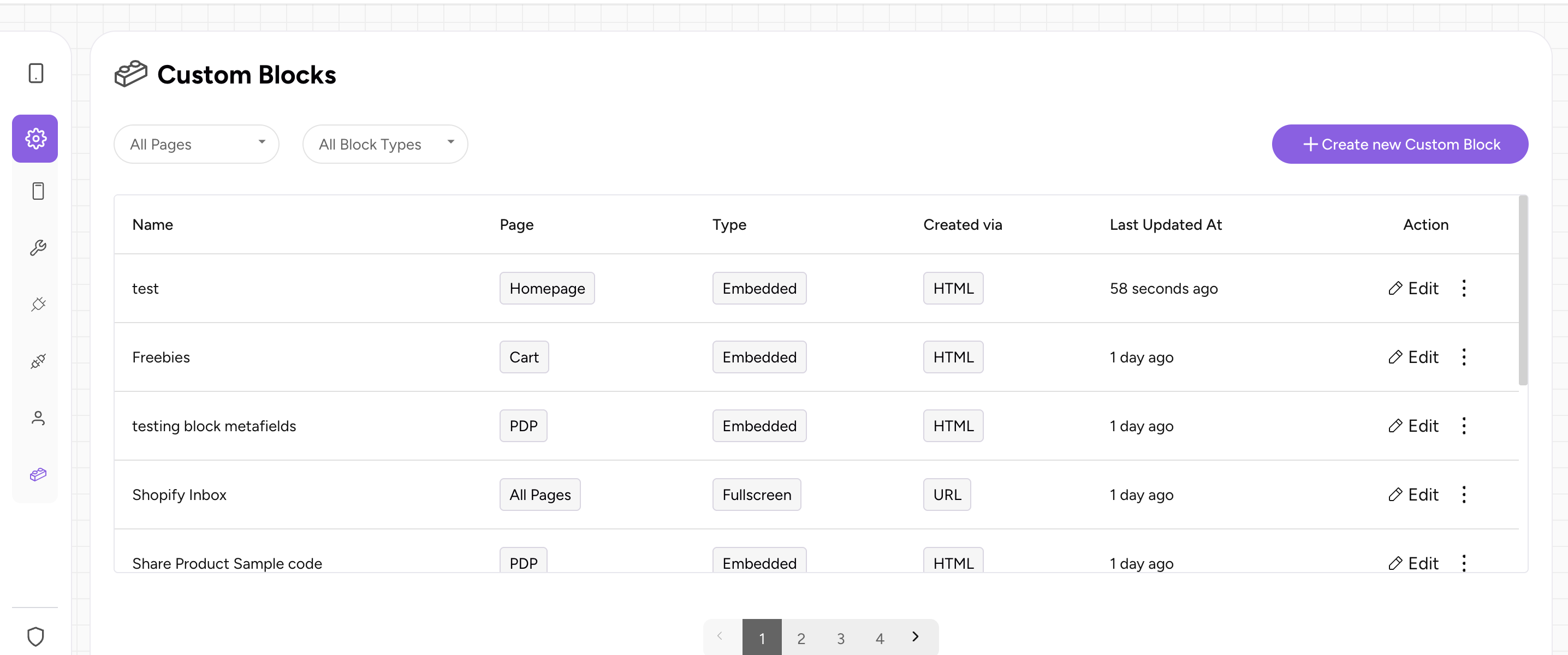
Navigate to the desired custom block you would like to test on the preview dashboard.
-
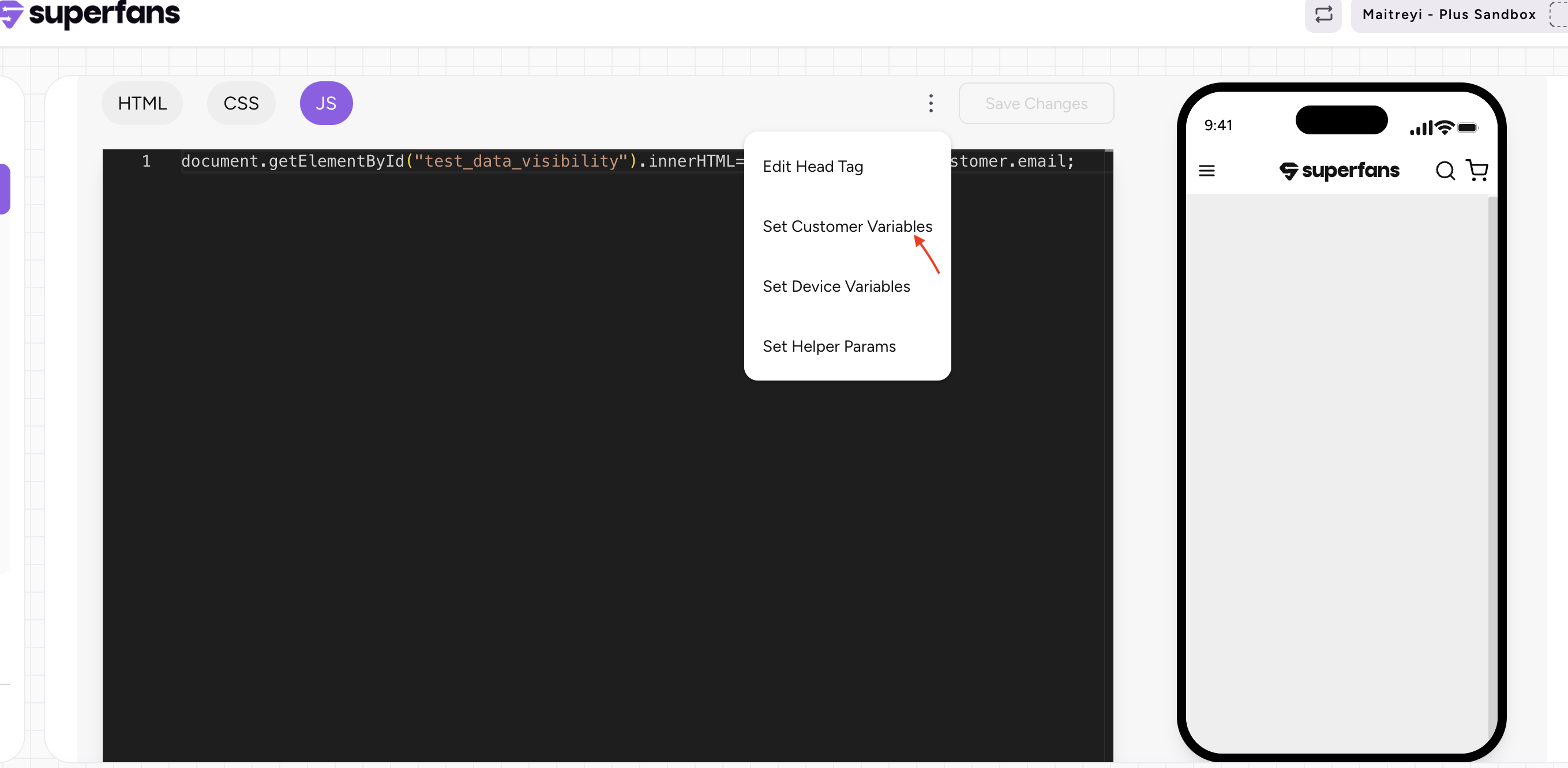
Click on the 3 dots and select the "Set Customer Variables" options from the dropdown.
-
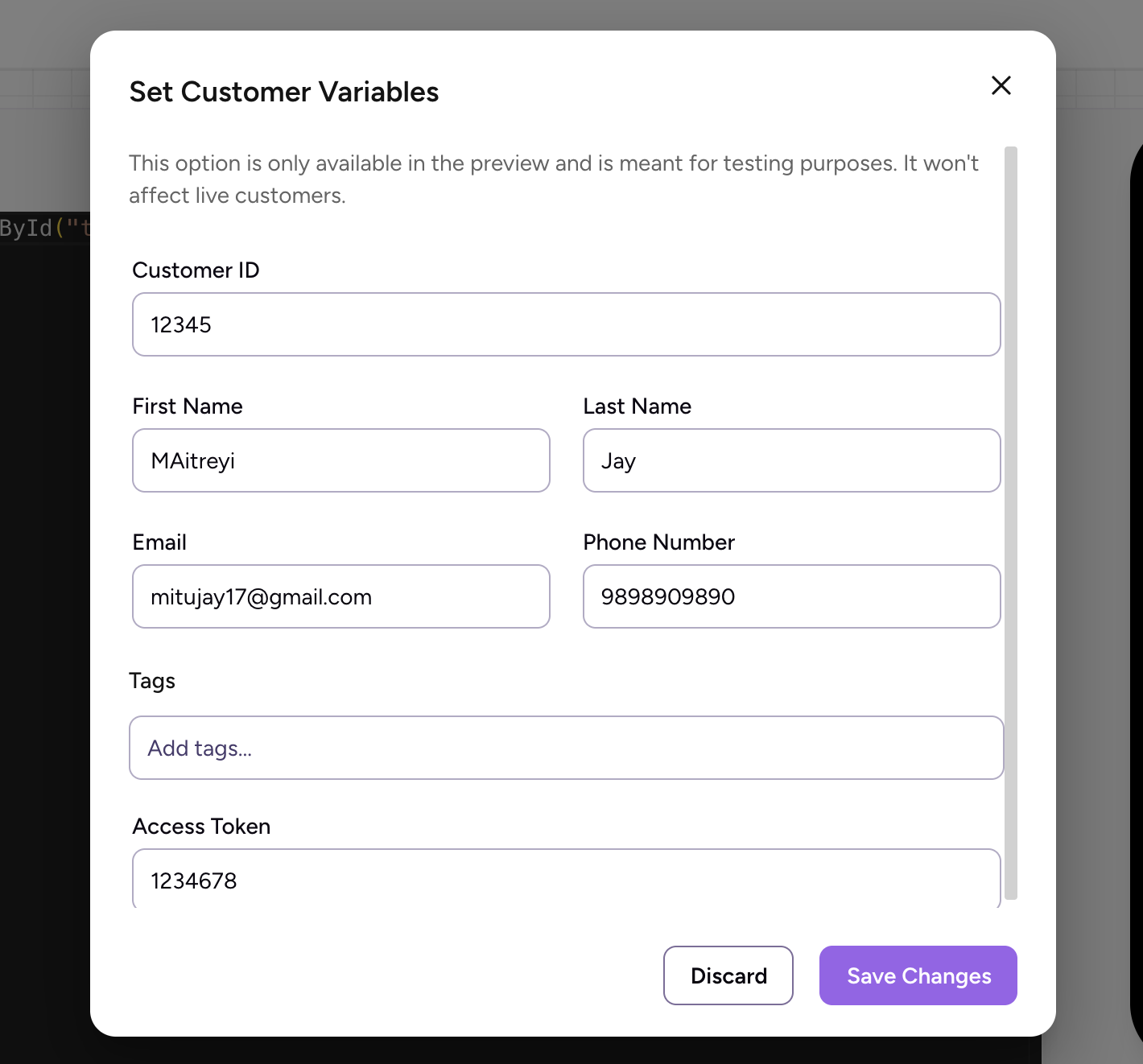
Provide the inputs for necessary variables, save the changes.
-
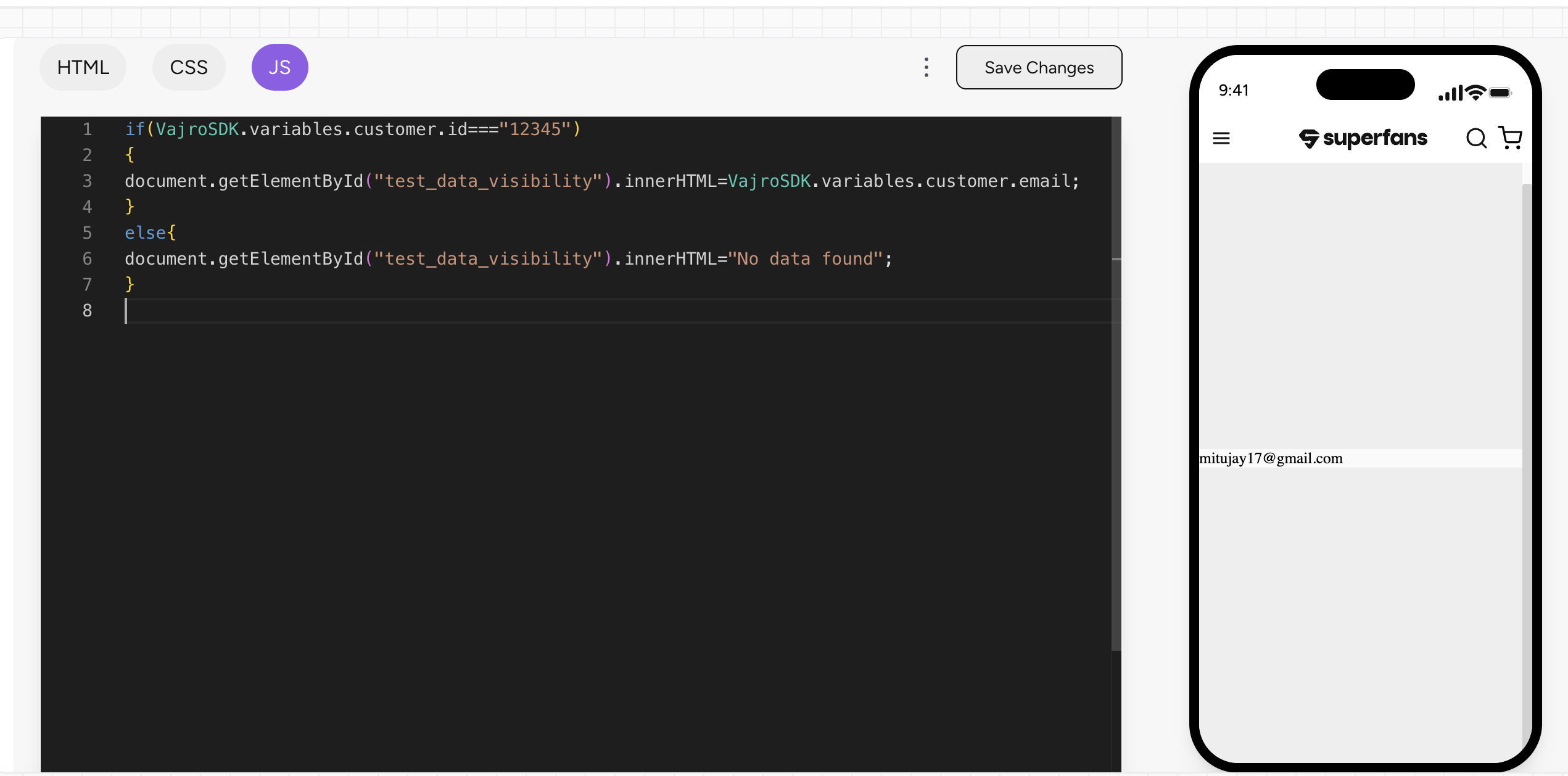
Have a look on the preview of the dashboard.
Steps to test Device Variables
-
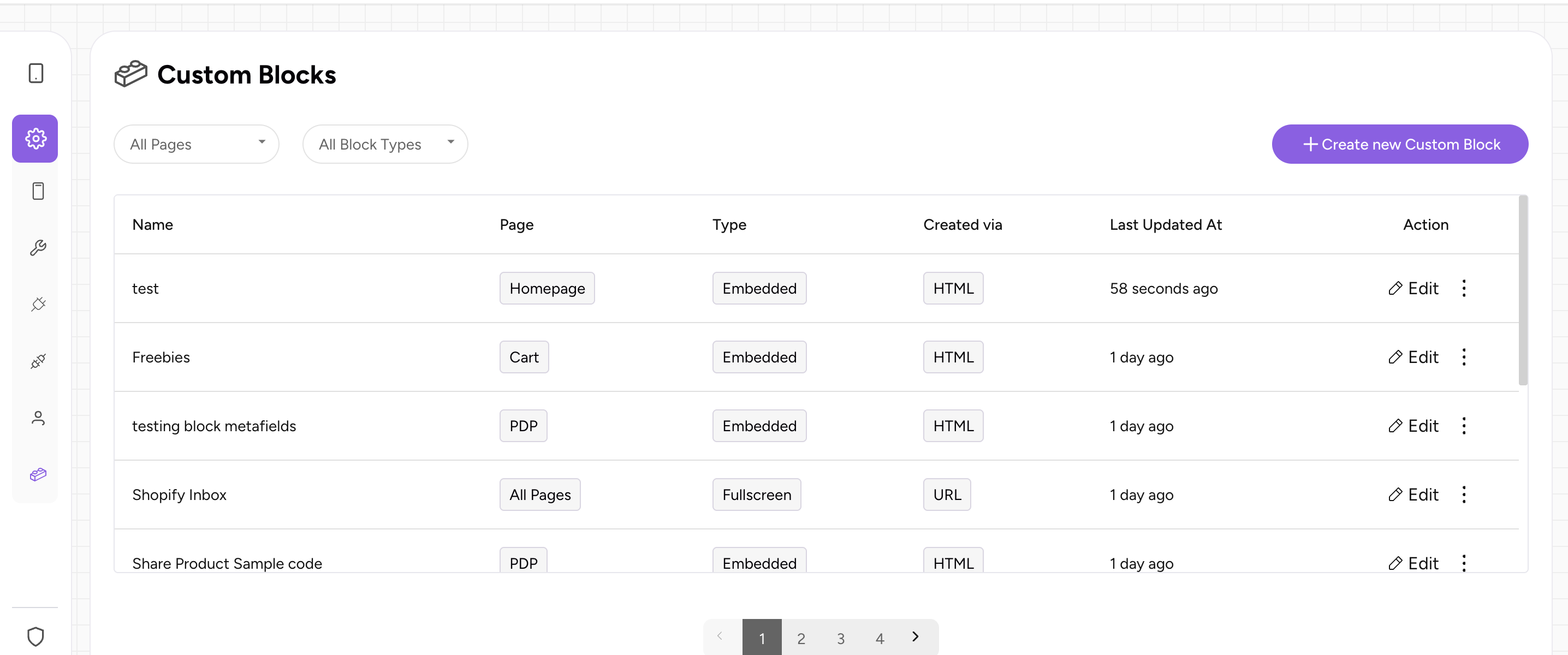
Navigate to the desired custom block you would like to test on the preview dashboard.
-
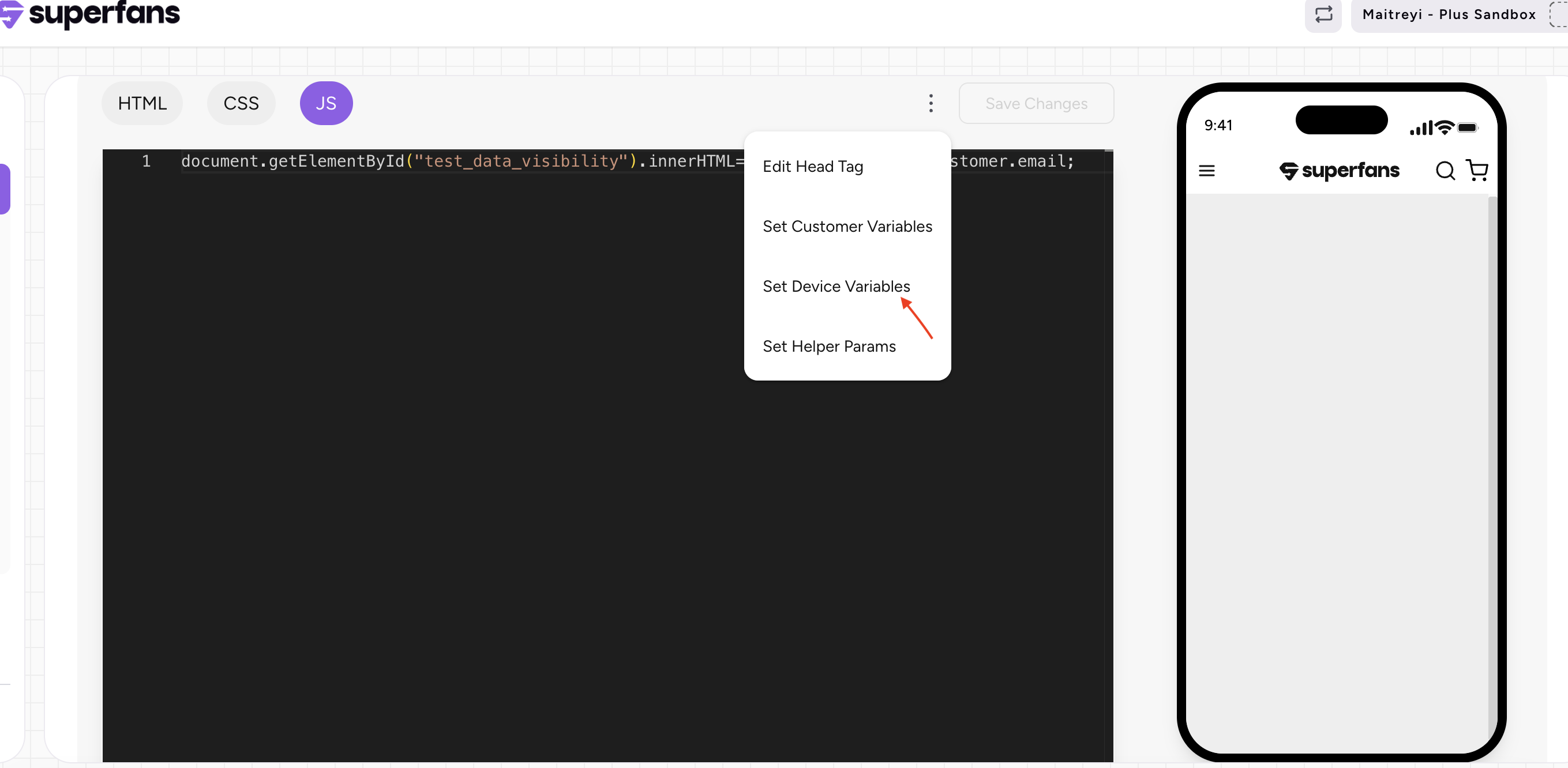
Click on the 3 dots and select the "Set Device Variables" options from the dropdown.
-
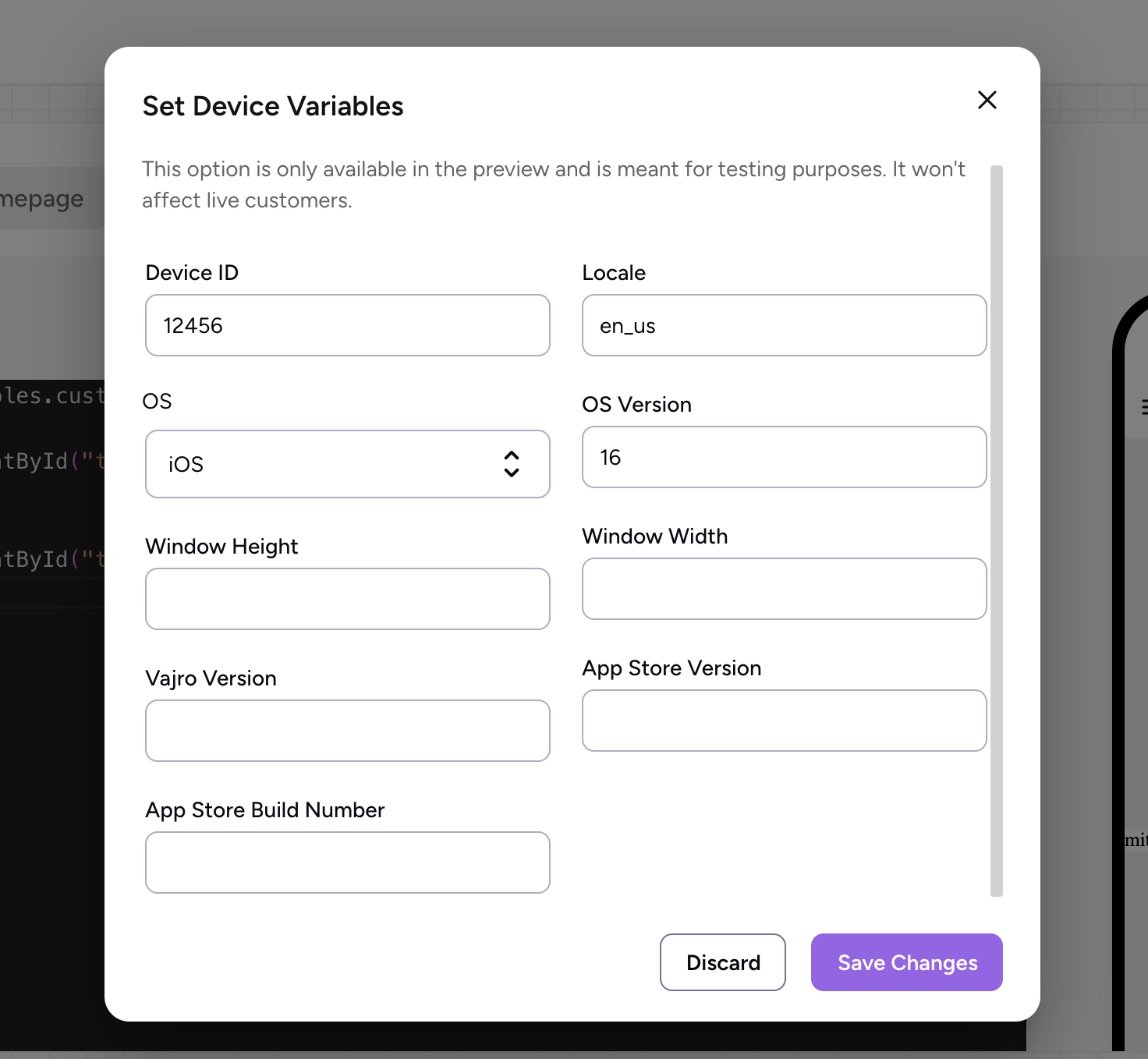
Provide the inputs for necessary variables, save the changes.
-
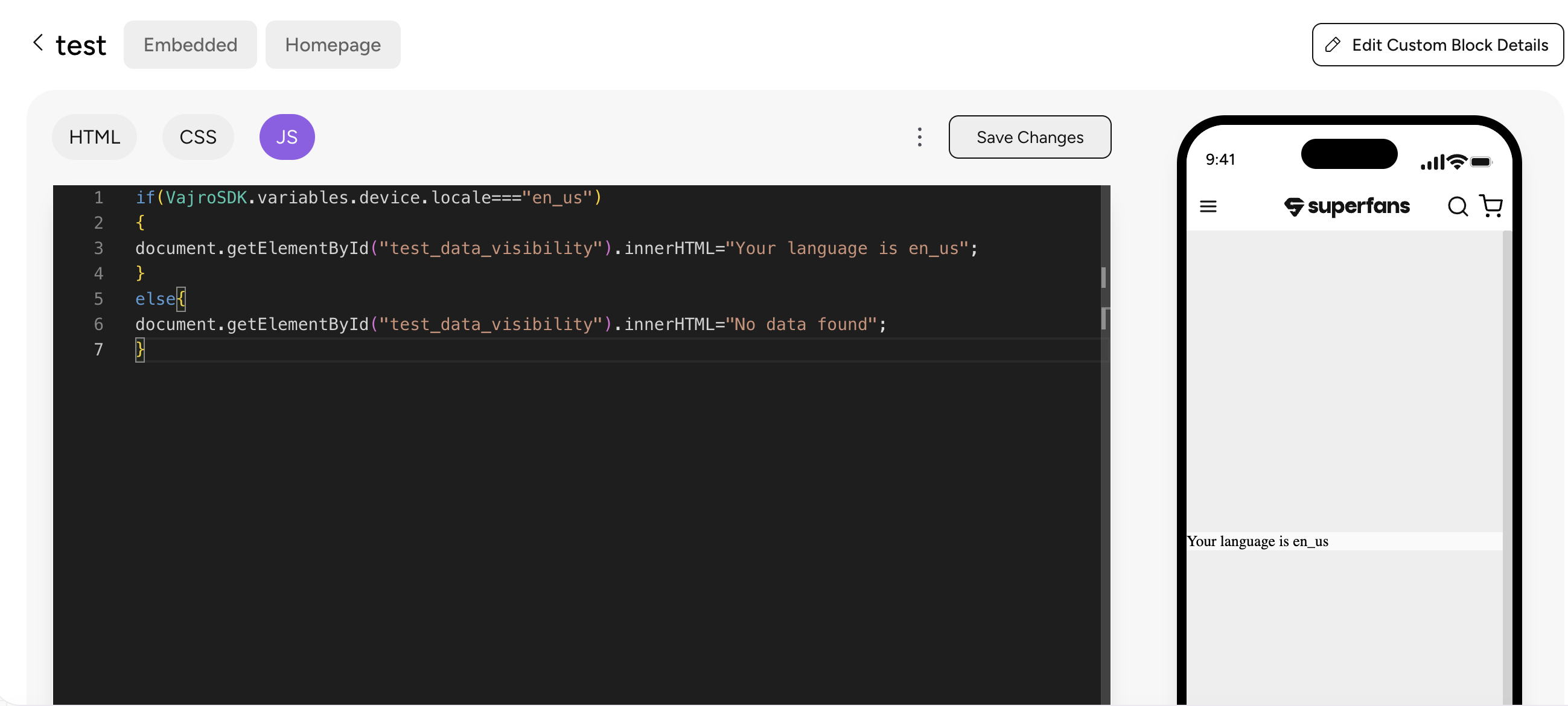
Have a look on the preview of the dashboard.
Steps to test Shopify Helpers
-
Navigate to the desired custom block you would like to test on the preview dashboard.
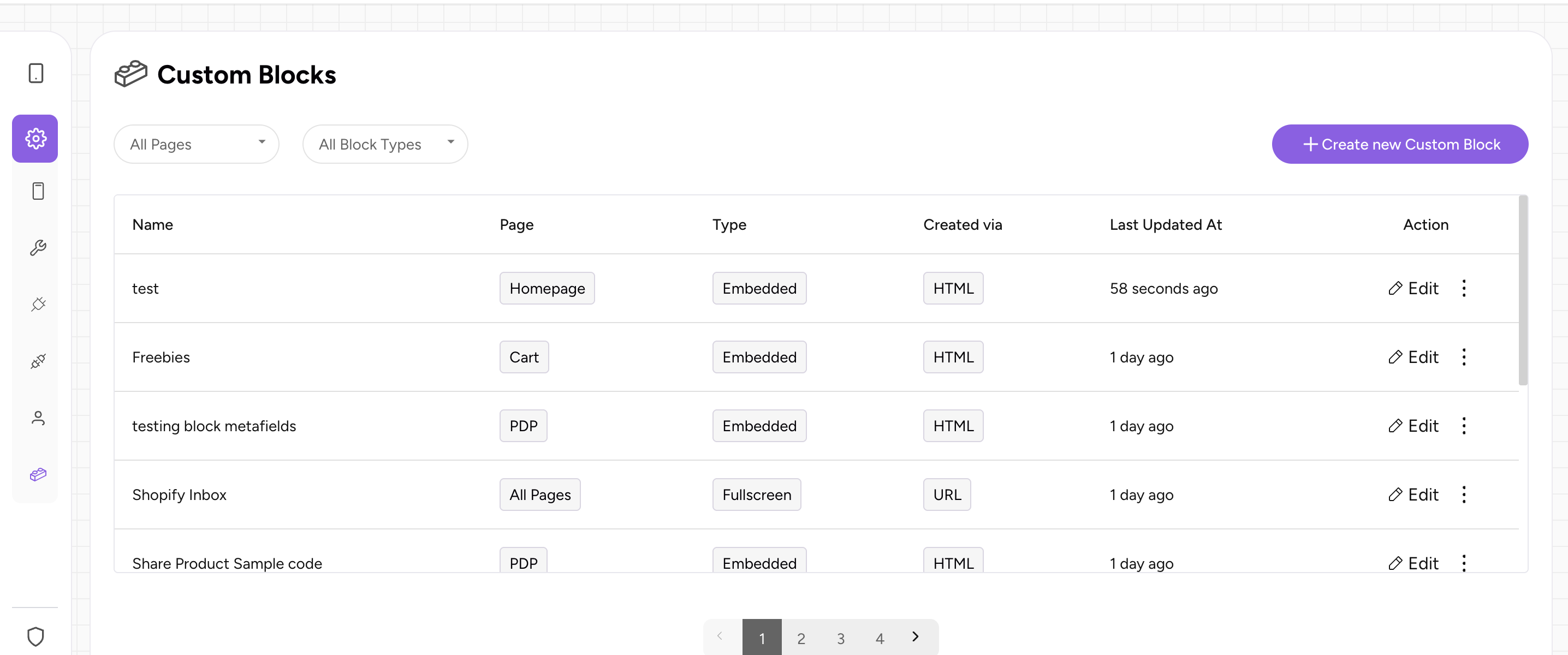
-
Click on the 3 dots and select the "Set Helper Params" options from the dropdown.
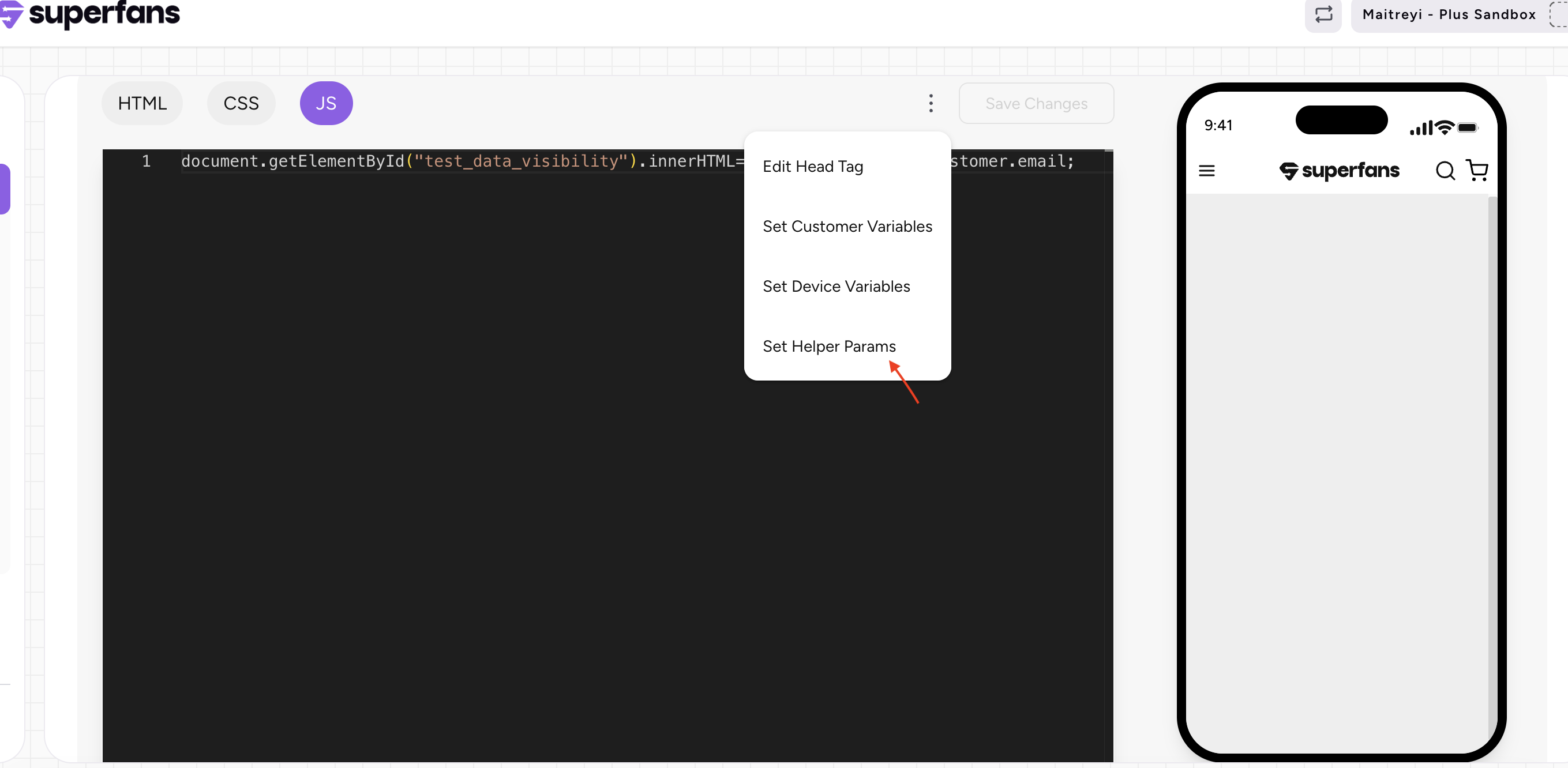
-
Provide the inputs for necessary variables , save the changes.
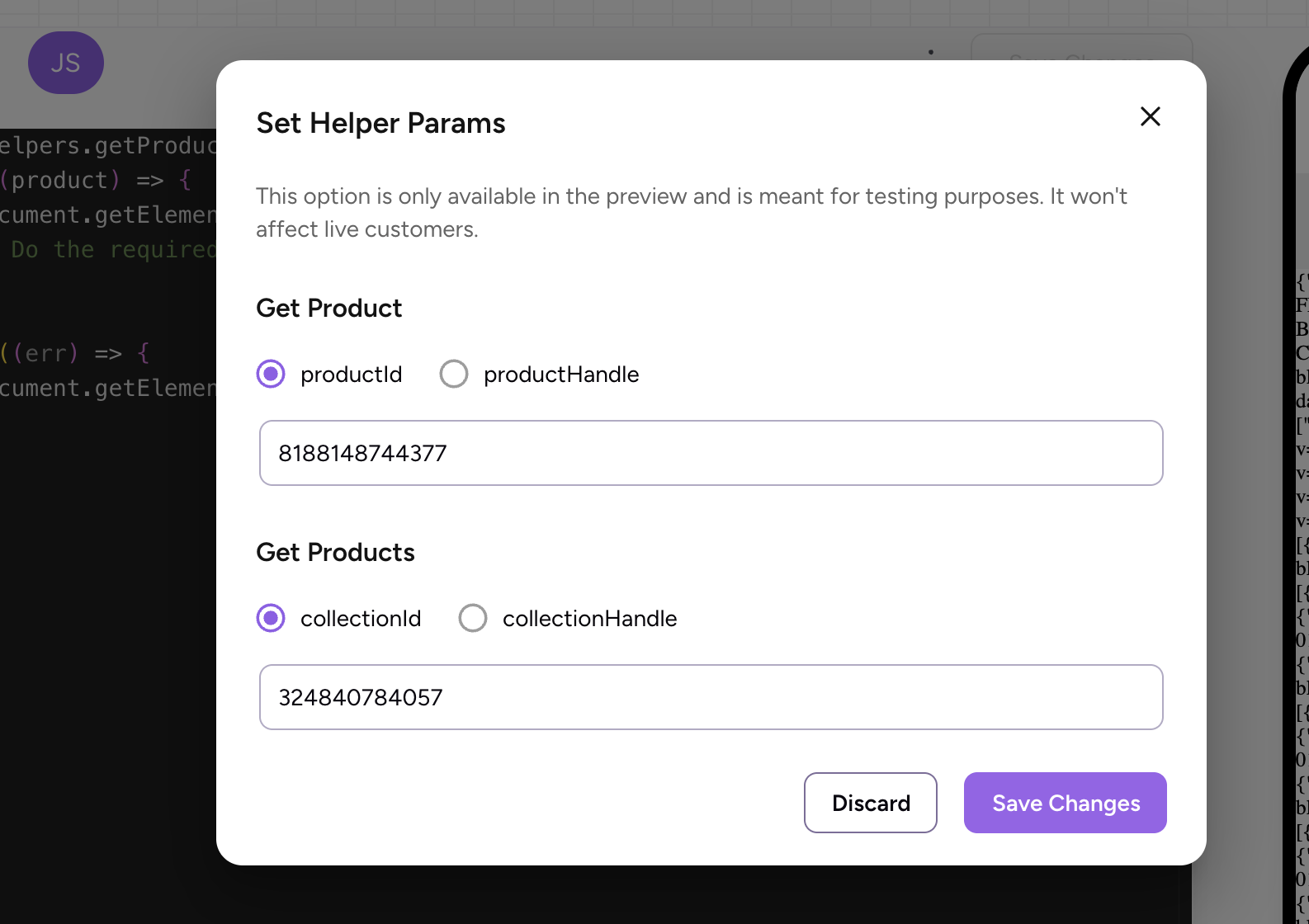
-
Have a look on the preview of the dashboard.
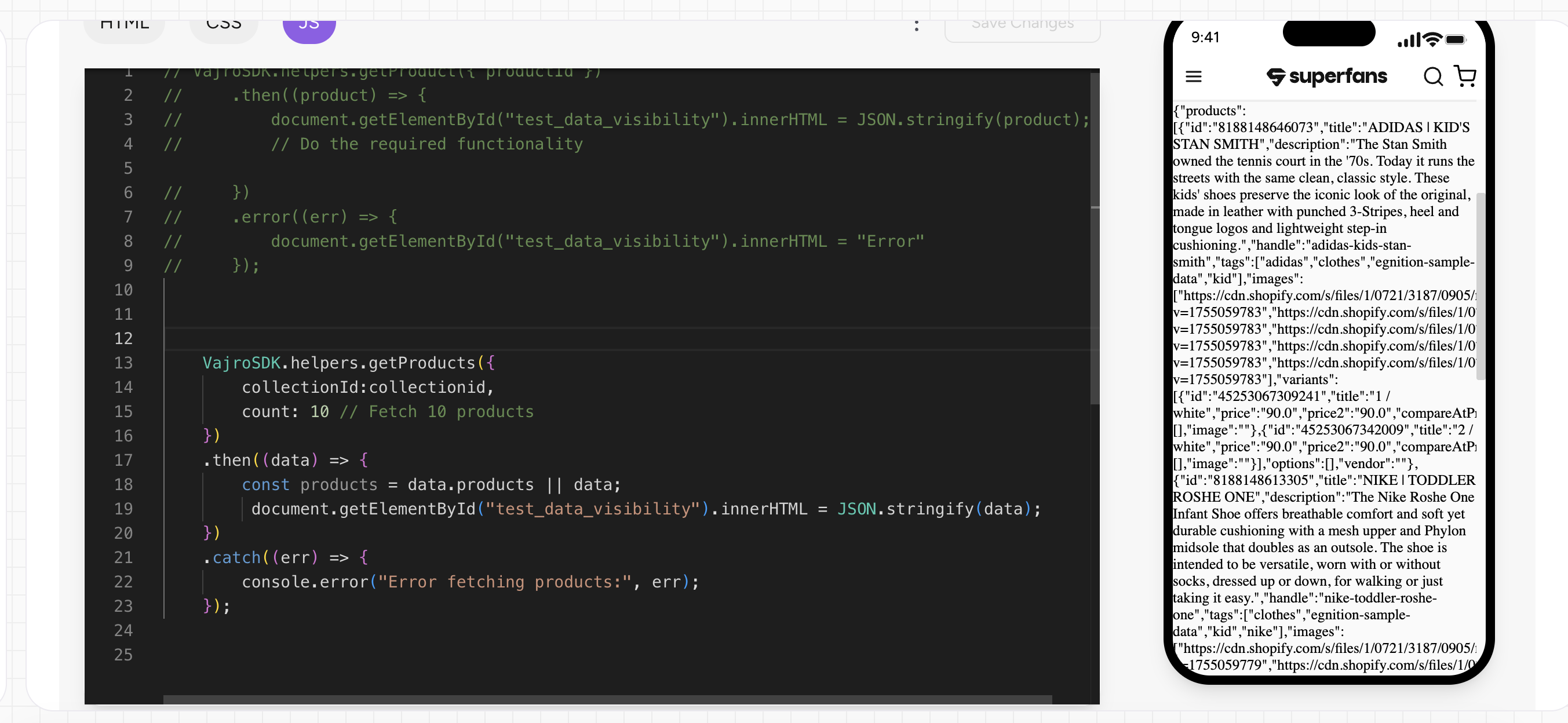
Testing on Mobile device
To test the custom blocks on the real mobile app, you would need to follow these steps.
-
Please download the Superfans Preview app from Appstore / Playstore.
[Appstore link][Playstore link]. -
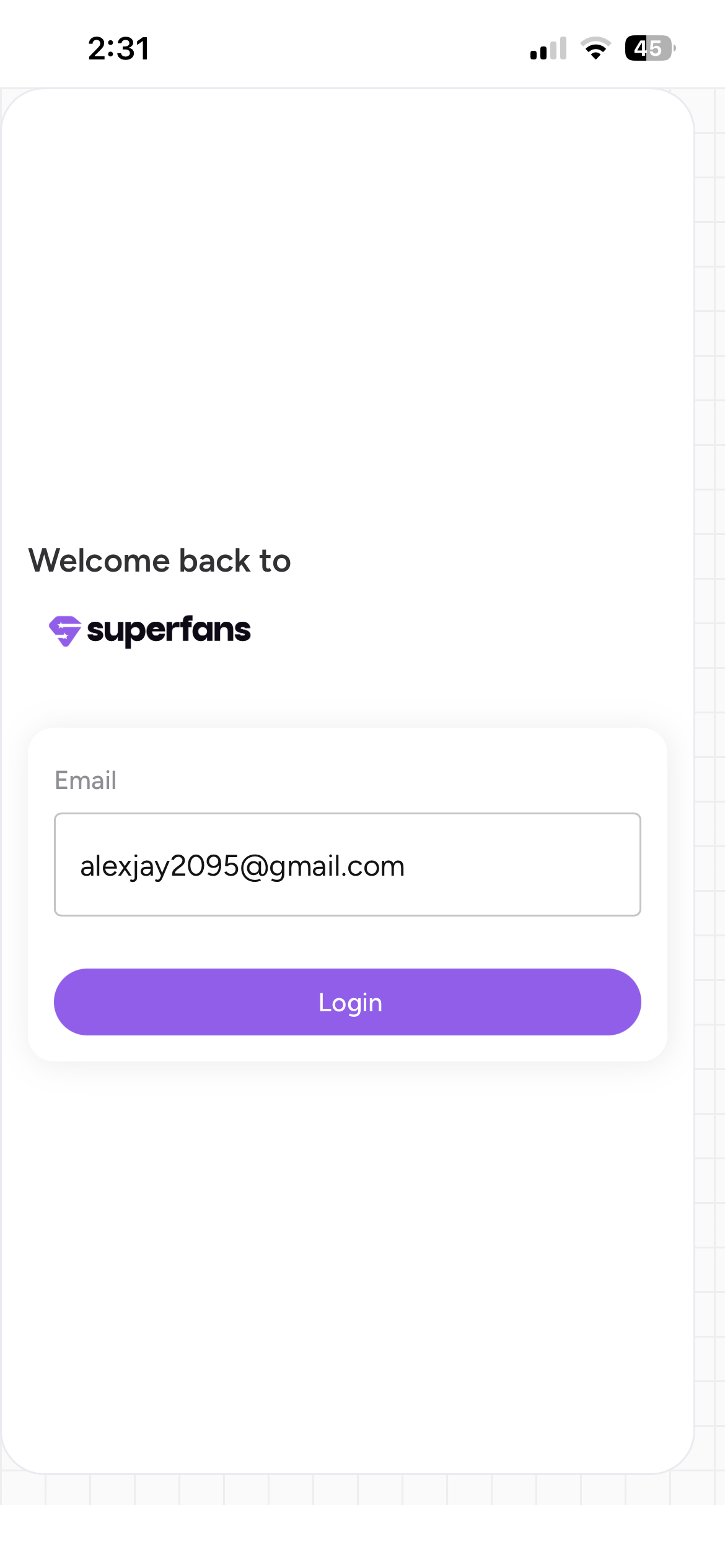
Enter your mail id and login to the app.
-
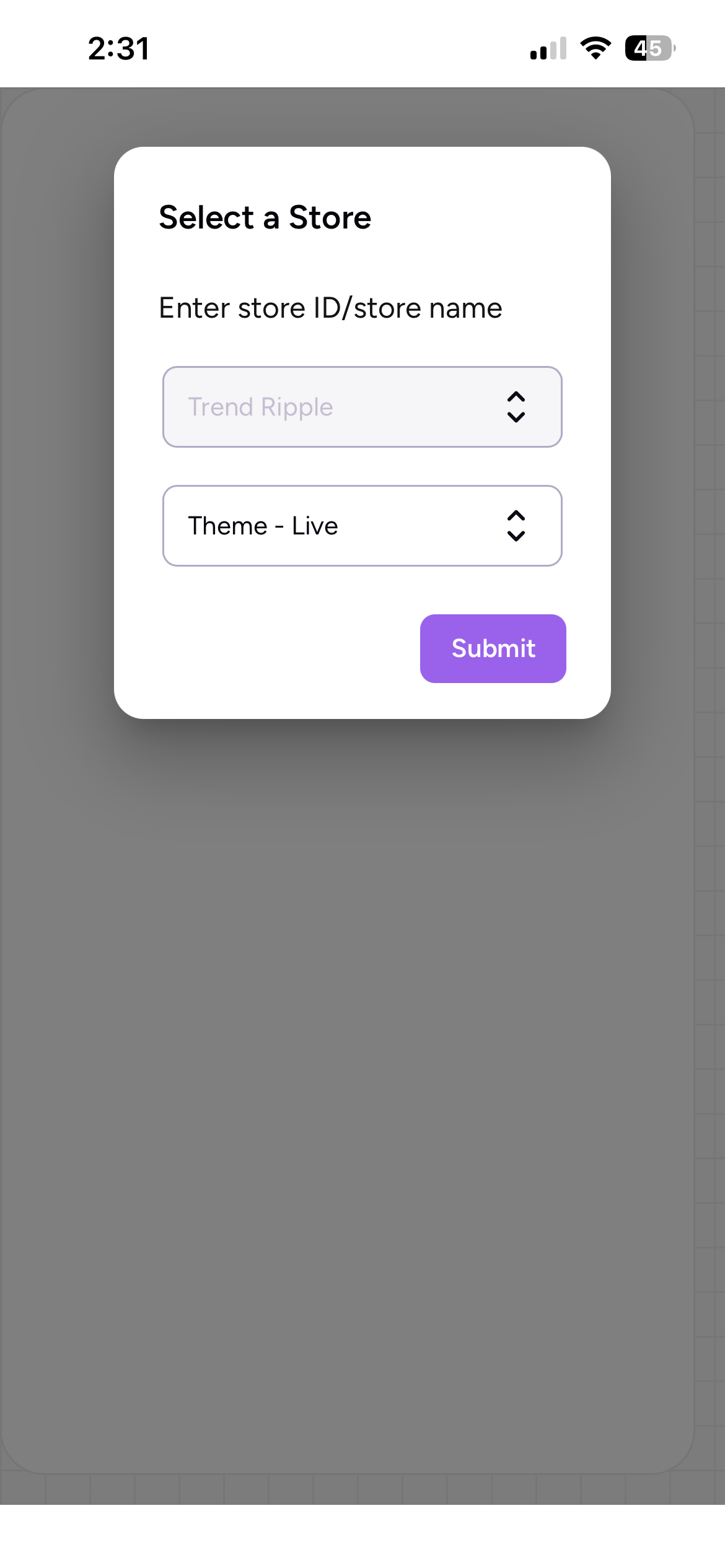
Enter the name of store and theme you would like to test.
-
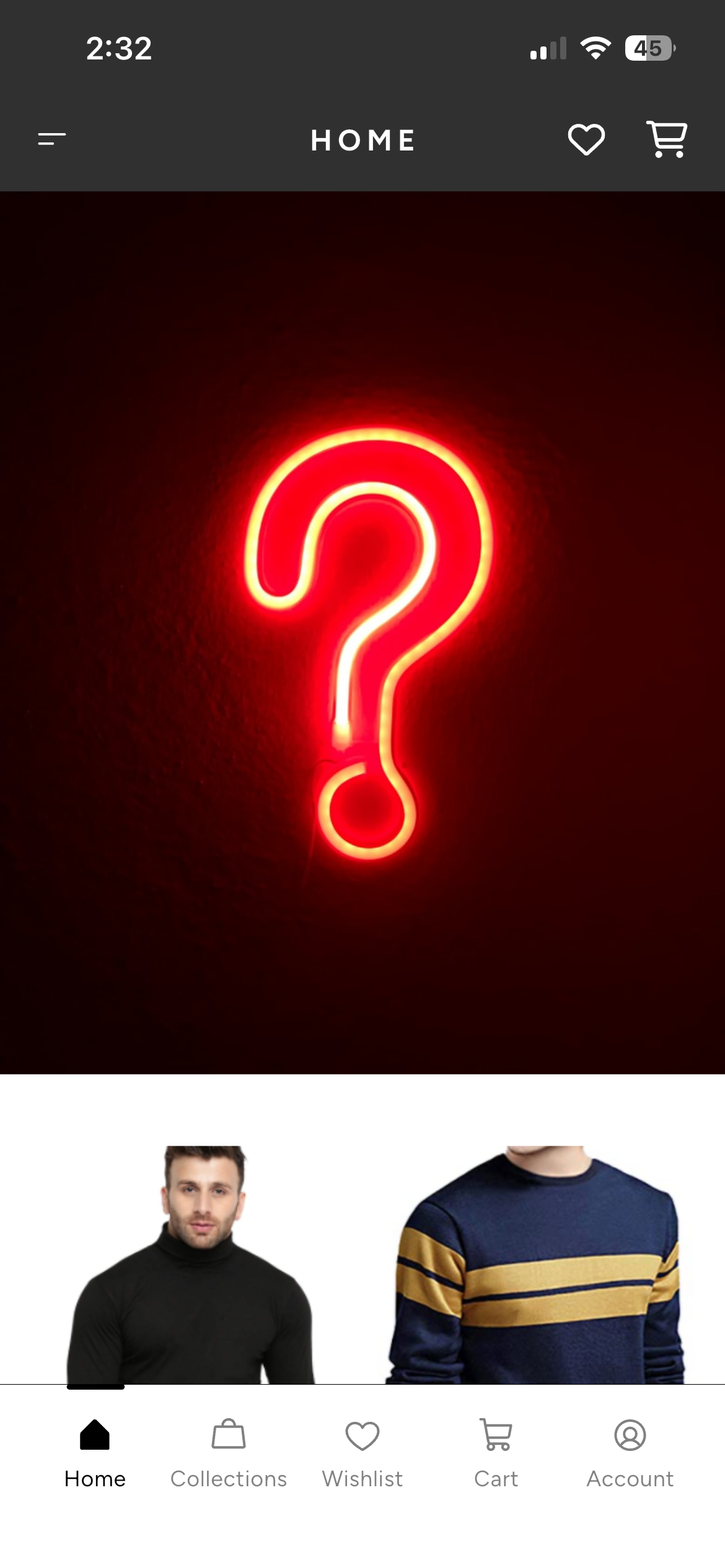
Tadaa! Your preview is up and you can start testing!
Updated 11 months ago