
Building Input Driven Blocks
How to create custom blocks by getting inputs from user
This guide walks you through creating a Custom Block that collects user input (such as text, selections,) and utilizes the Superfans SDK to process that data or trigger native app actions.
Steps to create input driven blocks
Access the Builder
- Navigate to the Custom Blocks section of the dashboard from the Settings menu on the sidebar.
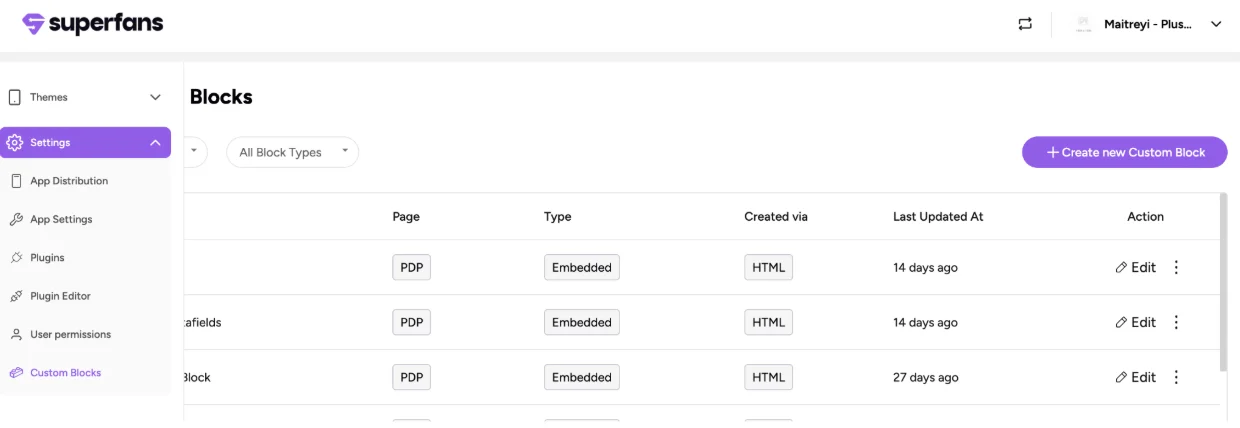
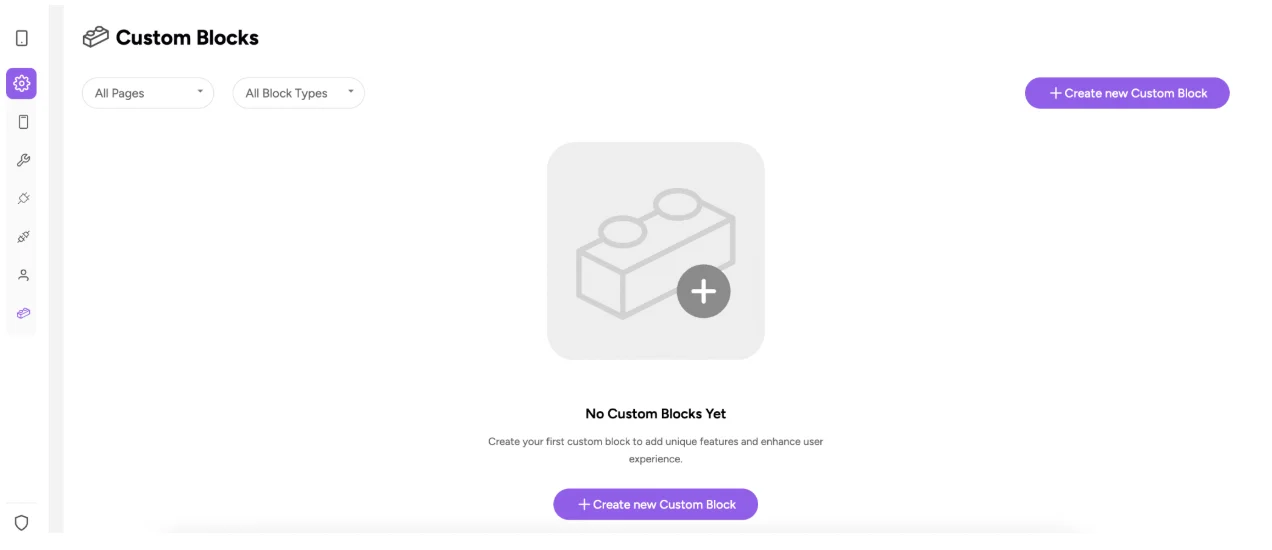
- Click on Create new Custom Block
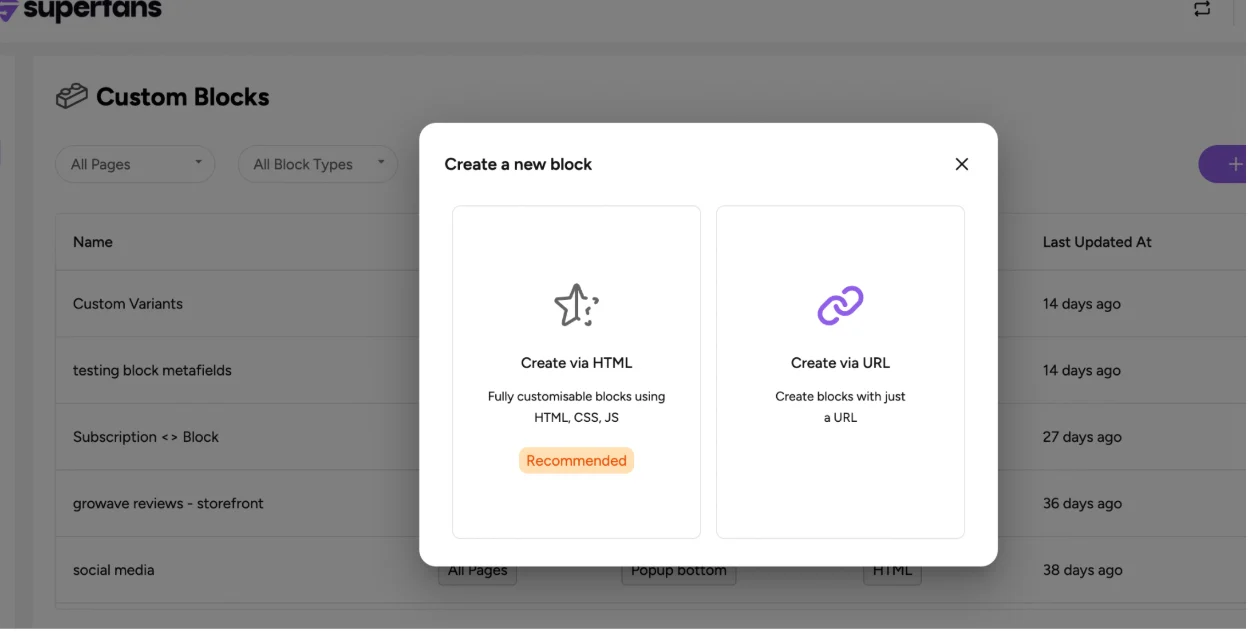
Choose create via HTML.
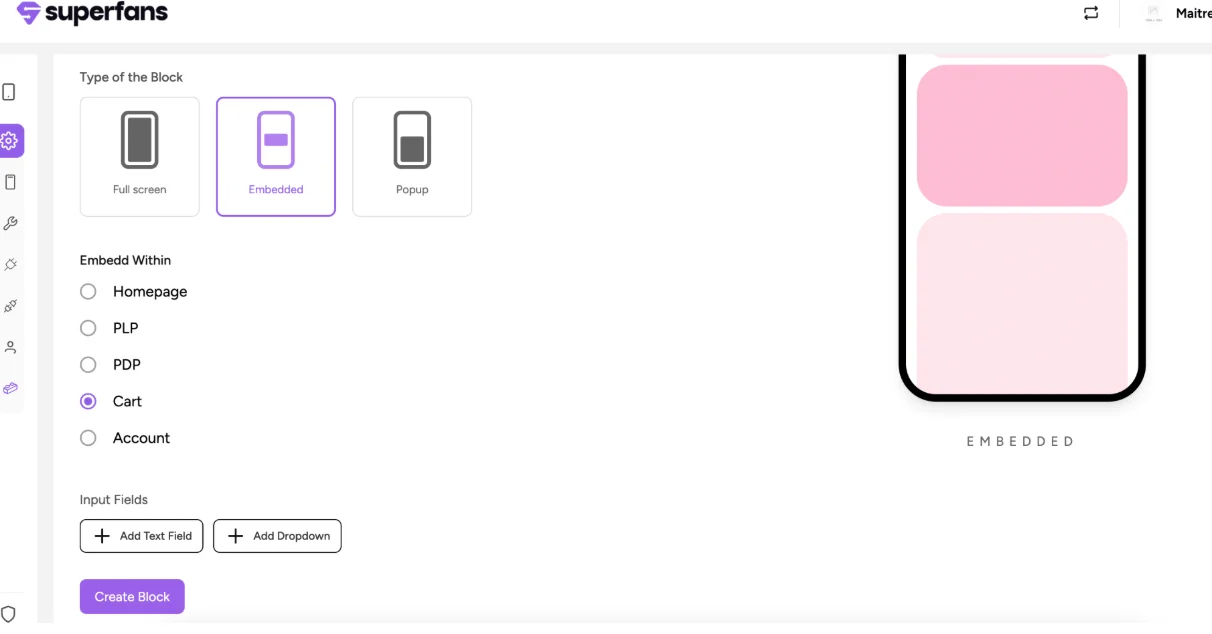
Choose Block Type
- Provide the following:
- Block name
- Block type
- Block placement
- Click on Create Block.
Your block is now created. You can customize it however you want and add it to the respective page.
Add Input Fields for the Blocks
-
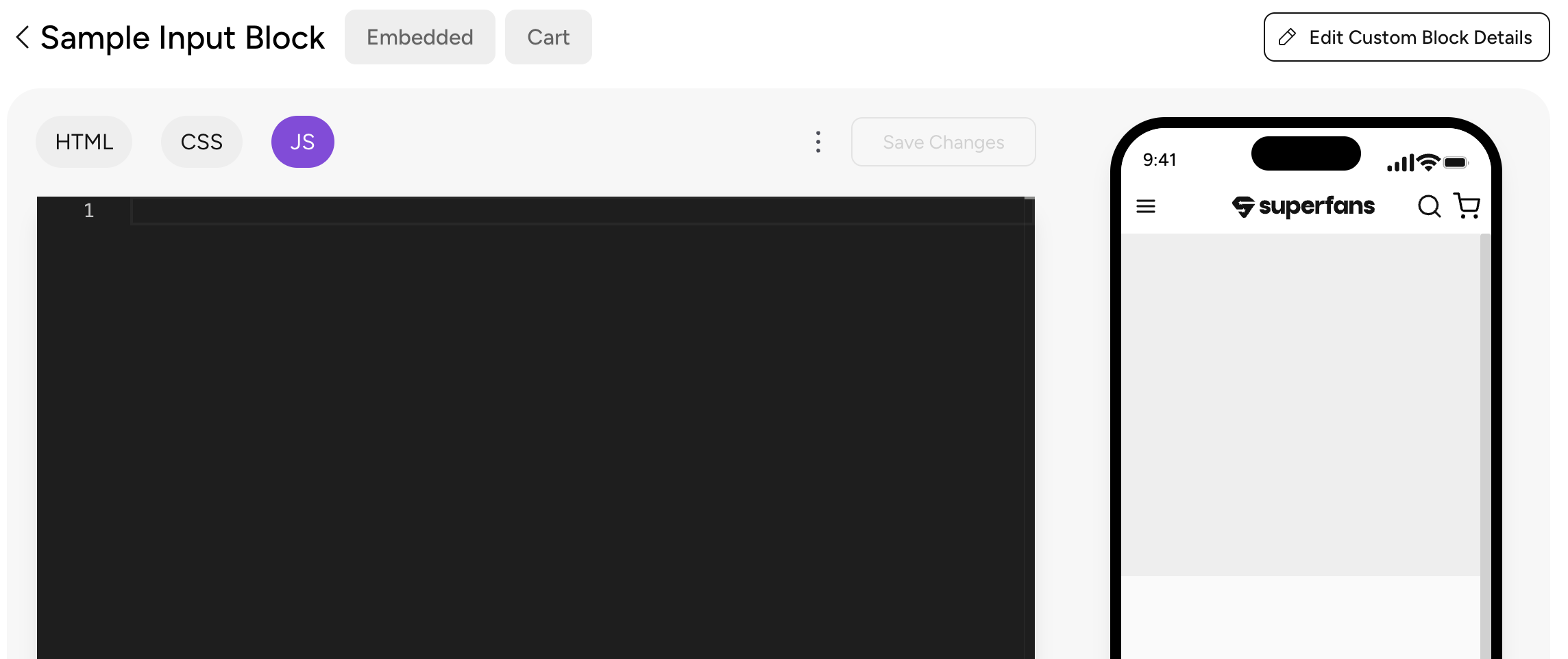
To create inputs at the block level, click on Edit block details on the top right.
-
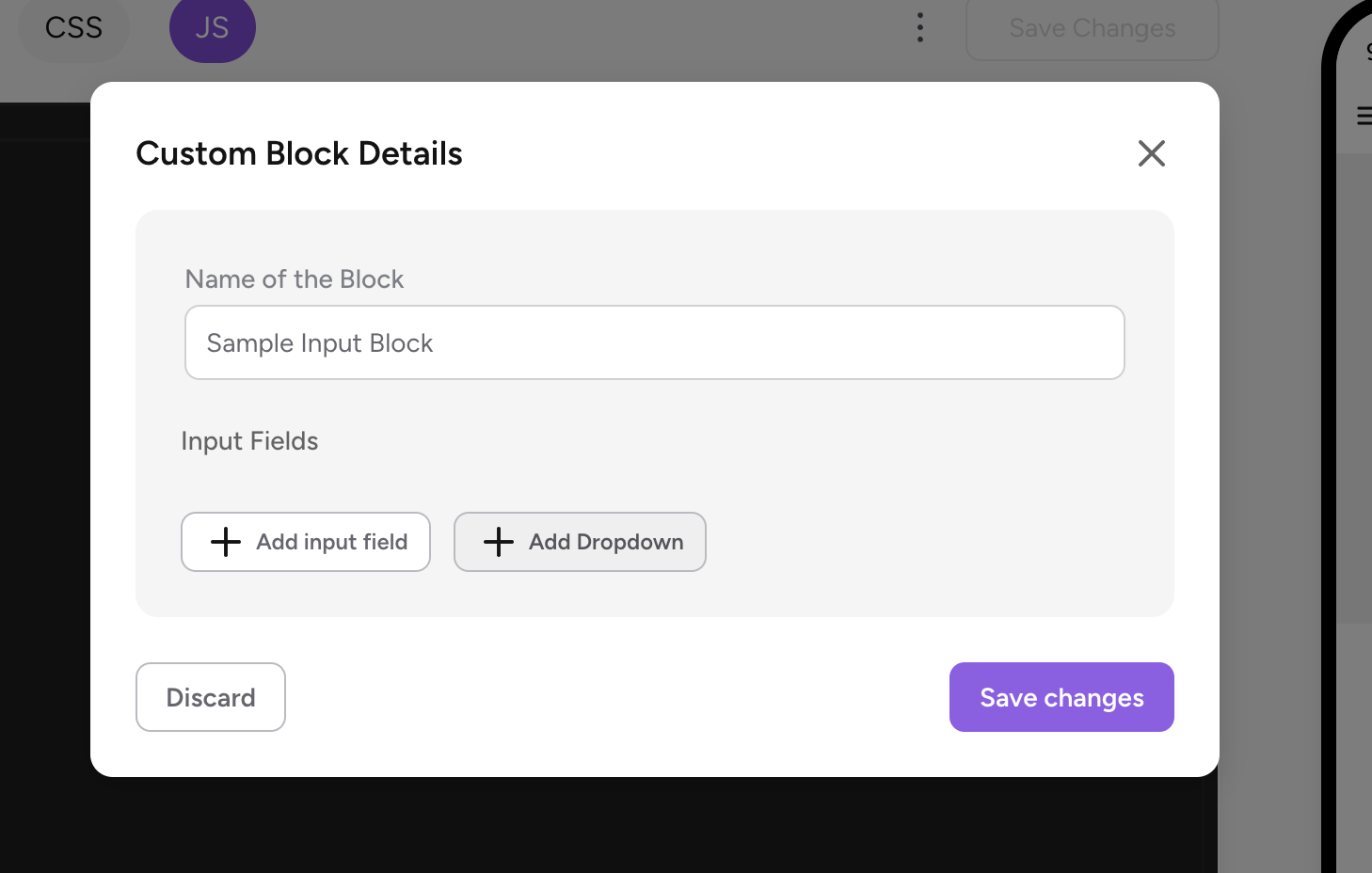
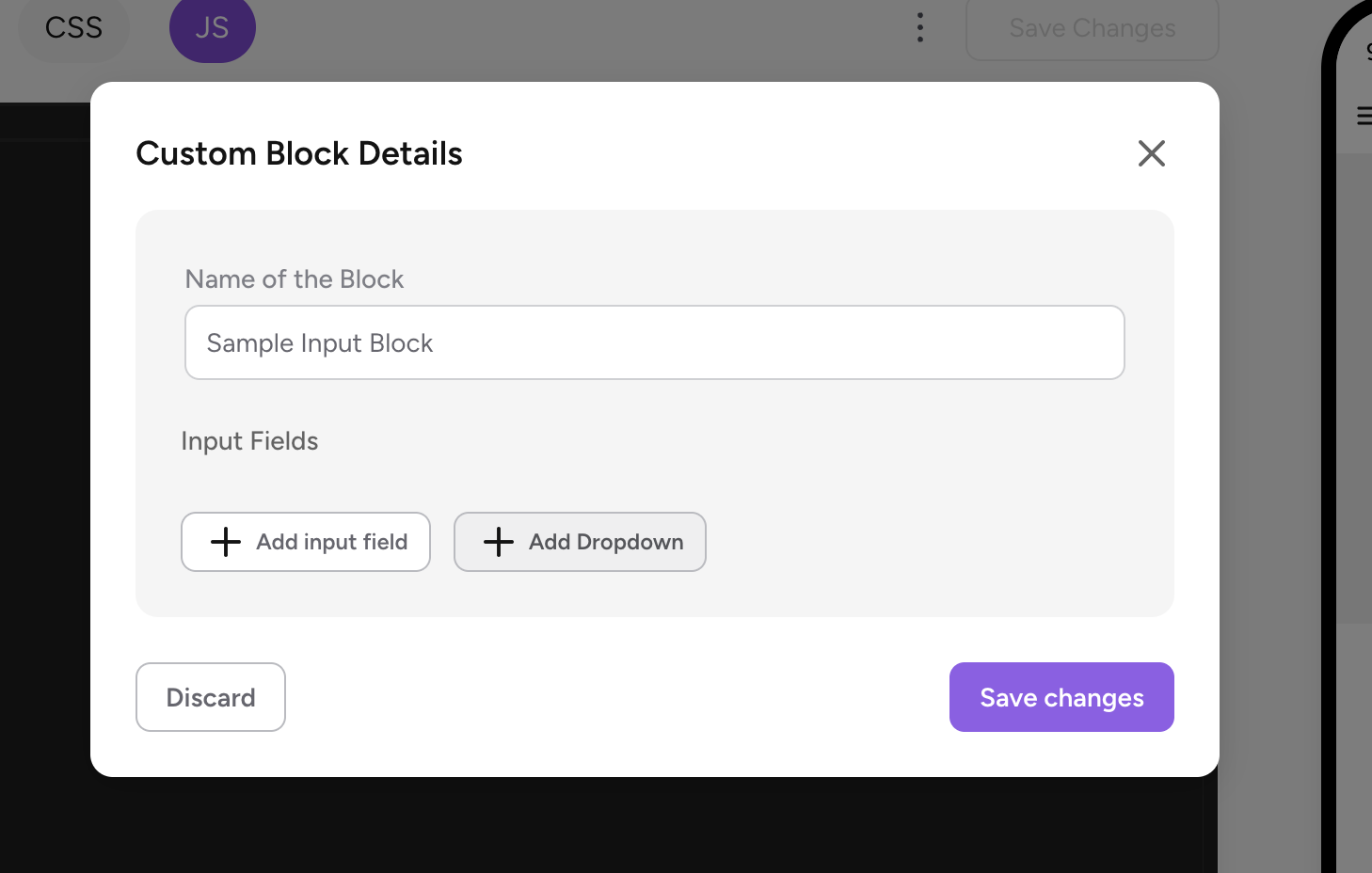
To have the input type as Text, click on "Add input field".
-
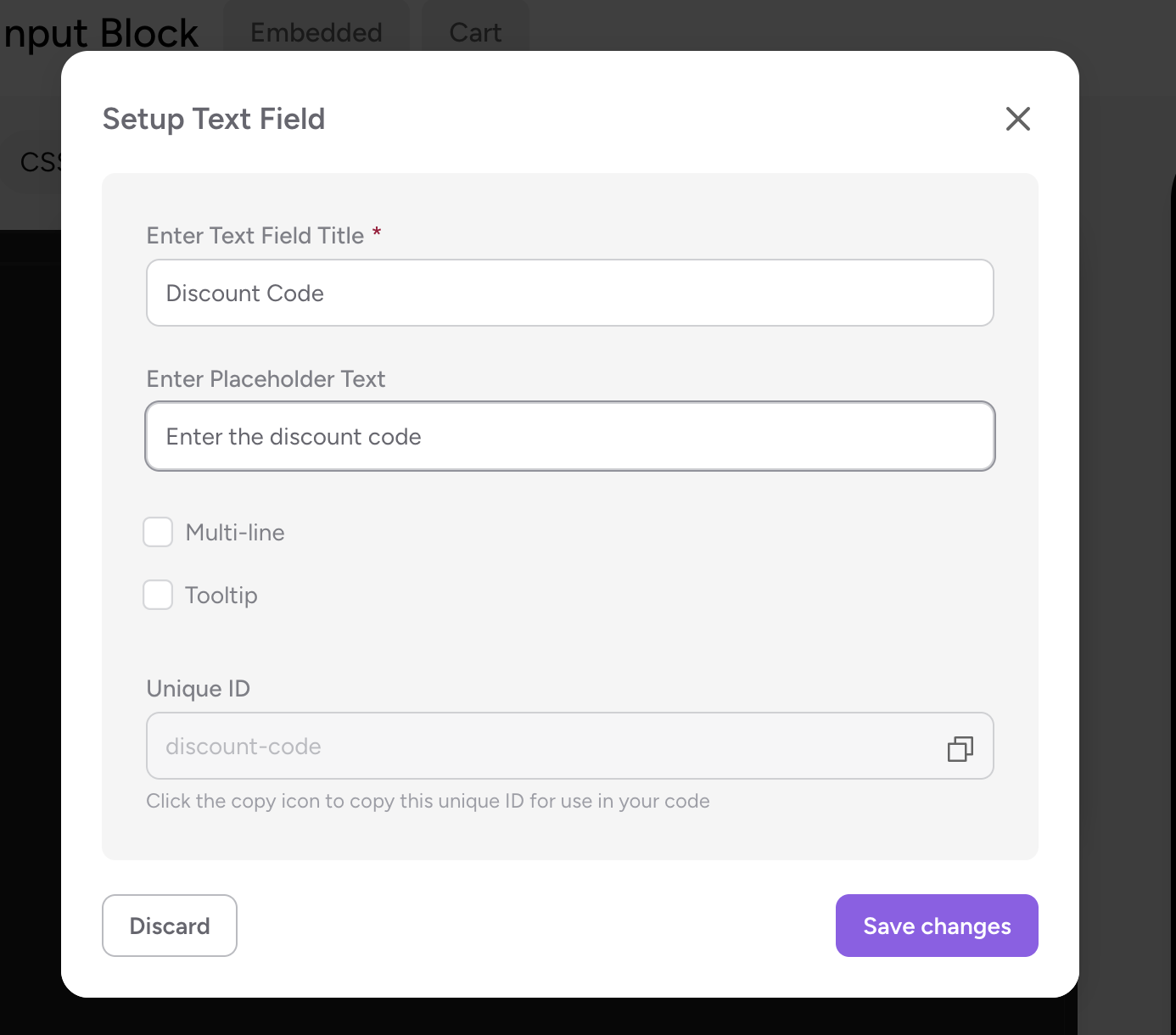
Provide the title, placeholder.
-
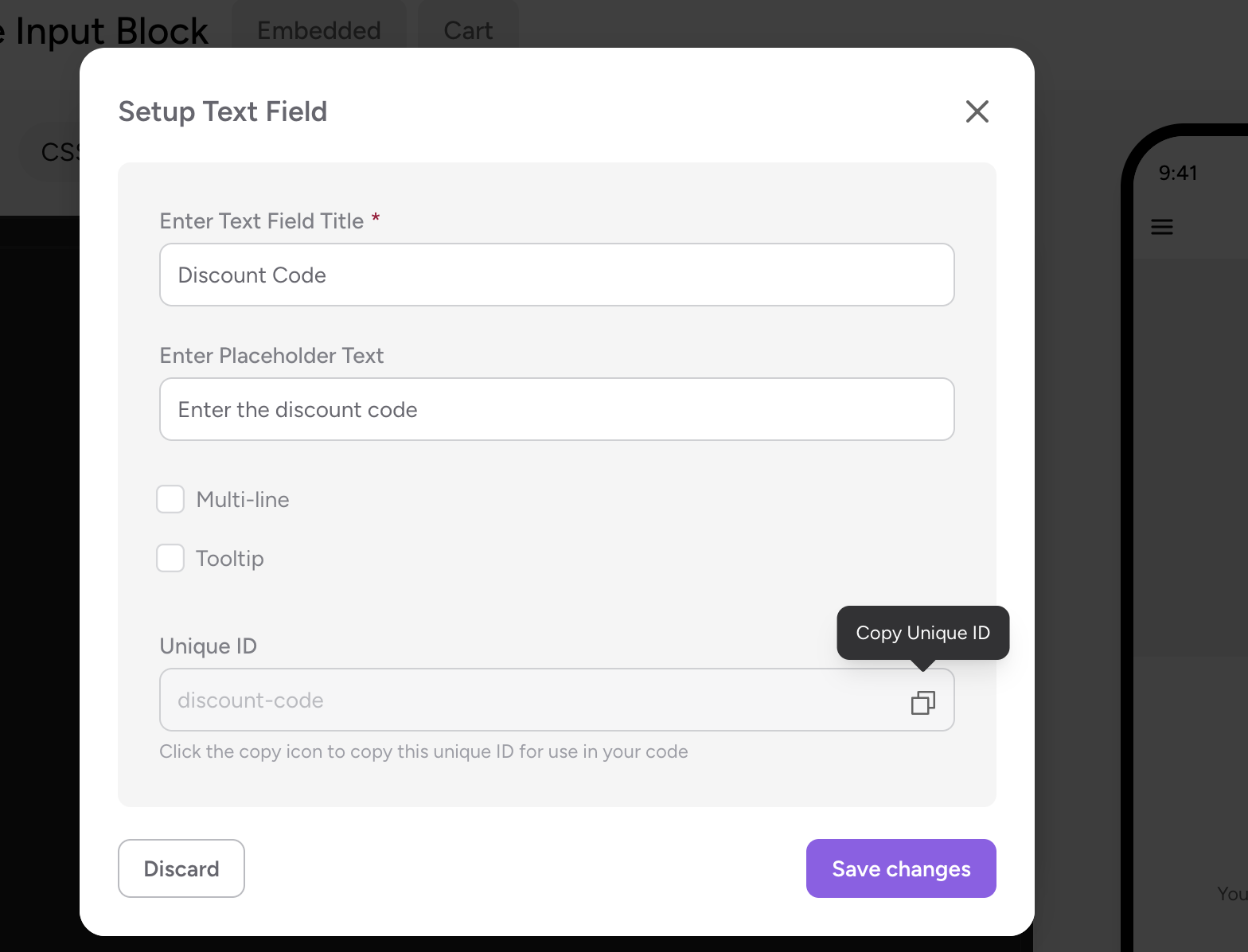
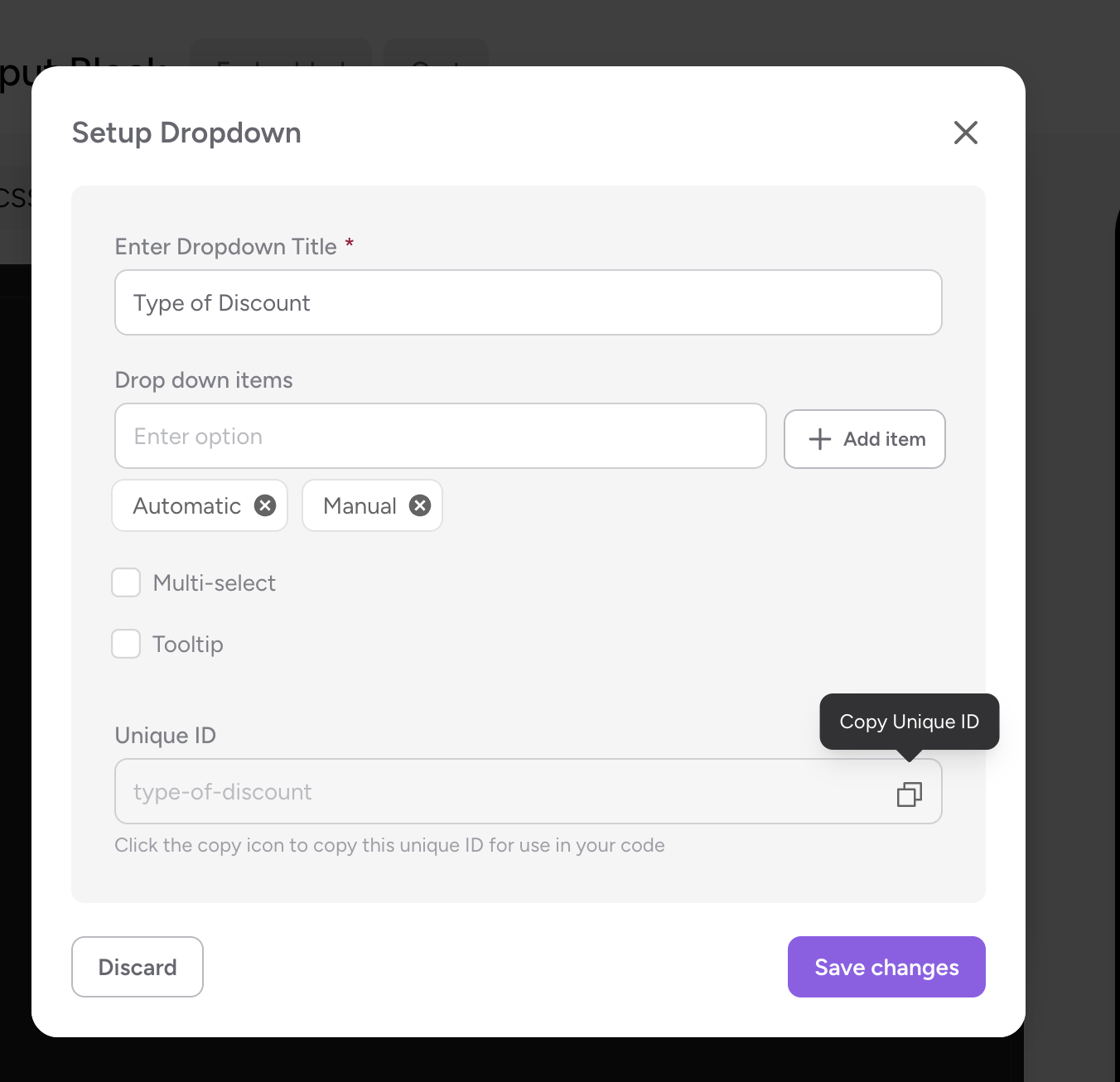
Make Sure you copy the unique ID of this input field.
-
To add input type as dropdown, click on "Add Dropdown".
-
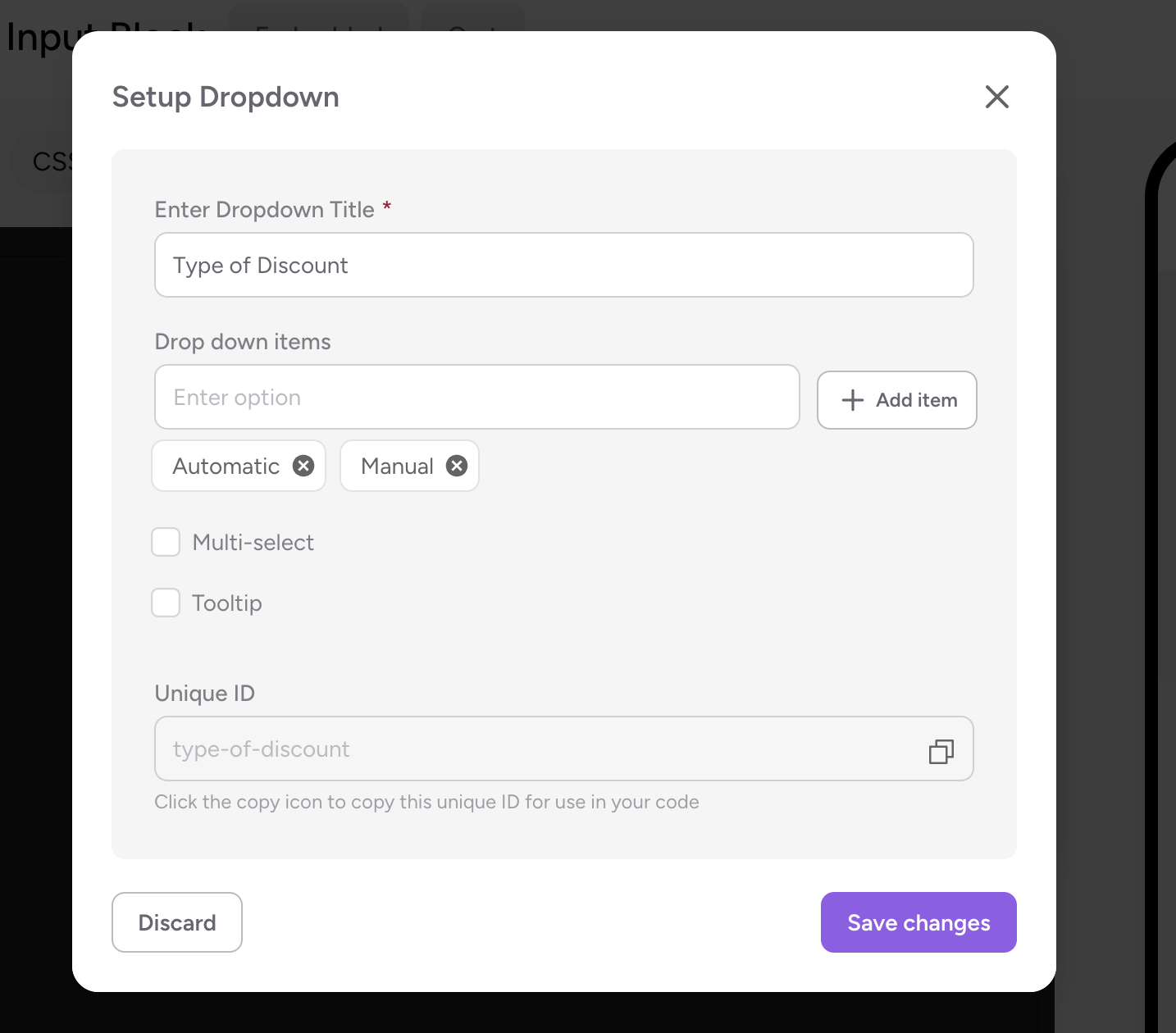
Provide the Title and add the values for the dropdown by clicking "Add items". If needed, you can choose multi-select option.
-
Make sure you copy the unique id of this field.
Start Coding
-
Add the required HTML code in the HTML section of the app.
-
Add the corresponding CSS to beautify the Elements in CSS section.
-
To retrieve the values from the input fields, make sure you follow this syntax in JS section.
const discount_code_input = `{{discount-code}}` // discount-code -> unique ID of the input field const discount_application_type_input = `{{type-of-discount}}`; // type-of-discount -> unique id of the dropdown field -
Provide the necessary logic required for the desired use case click on Save changes.
-
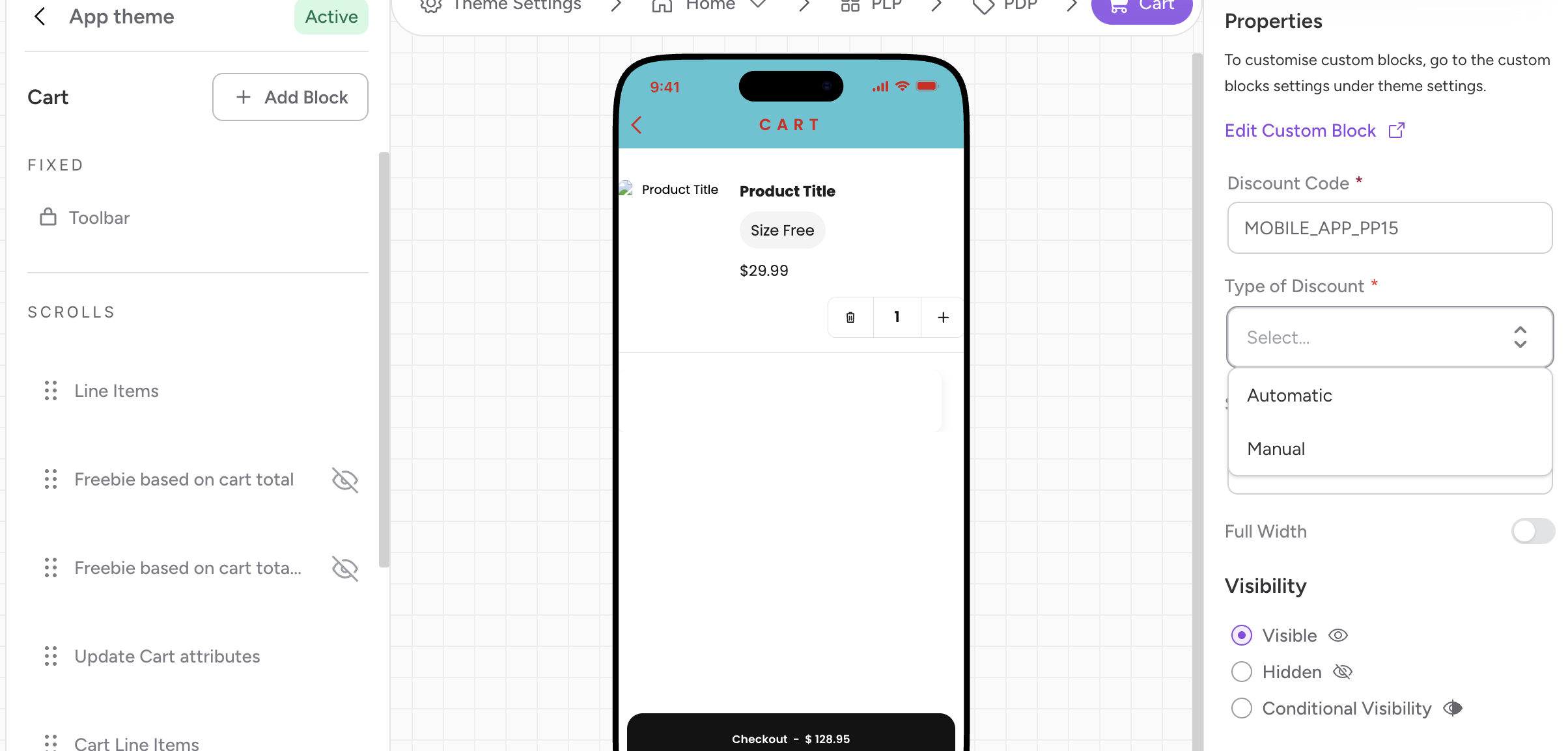
Place the block in the desired page of the app and thats all! We're done!
Here's the sample code which applies the discount on the cart page based on inputs. The customer can choose if the disocunt has to be manually applied or automatically applied on the cart page.
<div class="cart-container">
        <div class="discount-section">
            <div id="discount-status" class="status-message"></div>
            <div id="manual-discount-container" class="input-container hidden">
                <input type="text" id="discount-input" placeholder="Enter coupon code">
                <button id="apply-btn">Apply</button>
            </div>
            <p id="feedback-msg" class="feedback"></p>
        </div>
</div>
const discount_code_input = `{{discount-code}}`
const discount_application_type_input = `{{type-of-discount}}`;
let discount_code = discount_code_input.toString().trim();
let discount_application_type = discount_application_type_input.toString().trim();
const manualContainer = document.getElementById('manual-discount-container');
const discountInput = document.getElementById('discount-input');
const applyBtn = document.getElementById('apply-btn');
const statusMsg = document.getElementById('discount-status');
const feedbackMsg = document.getElementById('feedback-msg');
async function triggerSDKDiscount(code) {
await Superfans.actions.applyDiscount([code]);
Superfans.listeners.onCartUpdated(() => {
const cart = Superfans.variables.cart;
const appliedCode = cart?.appliedDiscounts?.[0]?.code;
if (discount_code === appliedCode) {
feedbackMsg.className = "feedback success";
feedbackMsg.textContent = "Premium Discount Applied!";
} else {
feedbackMsg.className = "feedback error";
feedbackMsg.textContent = "Failed to add discount.";
}
});
}
applyBtn.addEventListener('click', () => {
const userEnteredCode = discountInput.value.trim();
if (!userEnteredCode) {
feedbackMsg.className = "feedback error";
feedbackMsg.textContent = "Please enter a code before applying.";
return;
}
triggerSDKDiscount(userEnteredCode);
});
initializeDiscountLogic(discount_application_type, discount_code);
Superfans.actions.resizeBlock();User interface while configuring the block
Updated 28 days ago