
Building Product & Collection Picker as Inputs for Custom Blocks
Create custom blocks with product and collection picker as input fields
This guide walks you through creating a Custom Block that enables the user to select the product / collection from picker interface, retrieve the IDs of the product and collection and build the required use case.
Steps to create input driven blocks
Access the Builder
- Navigate to the Custom Blocks section of the dashboard from the Settings menu on the sidebar.
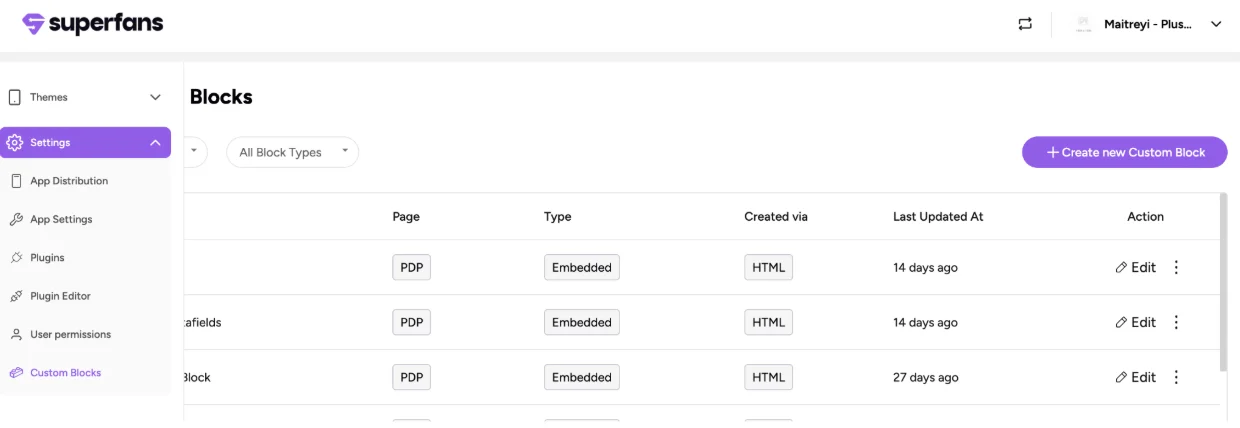
- Click on Create new Custom Block
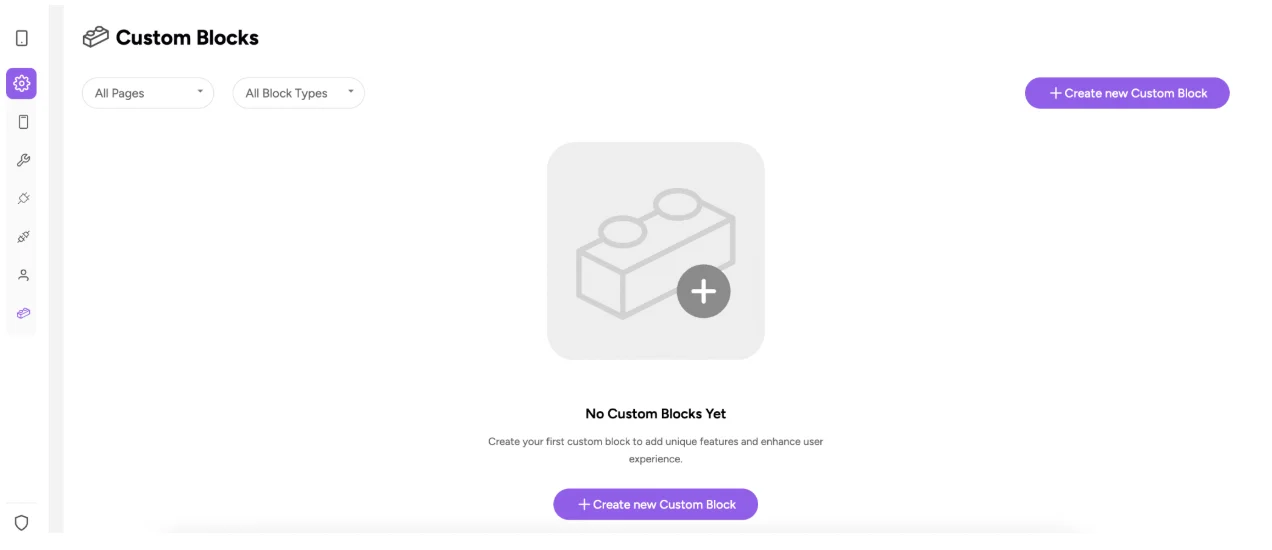
Choose create via HTML.
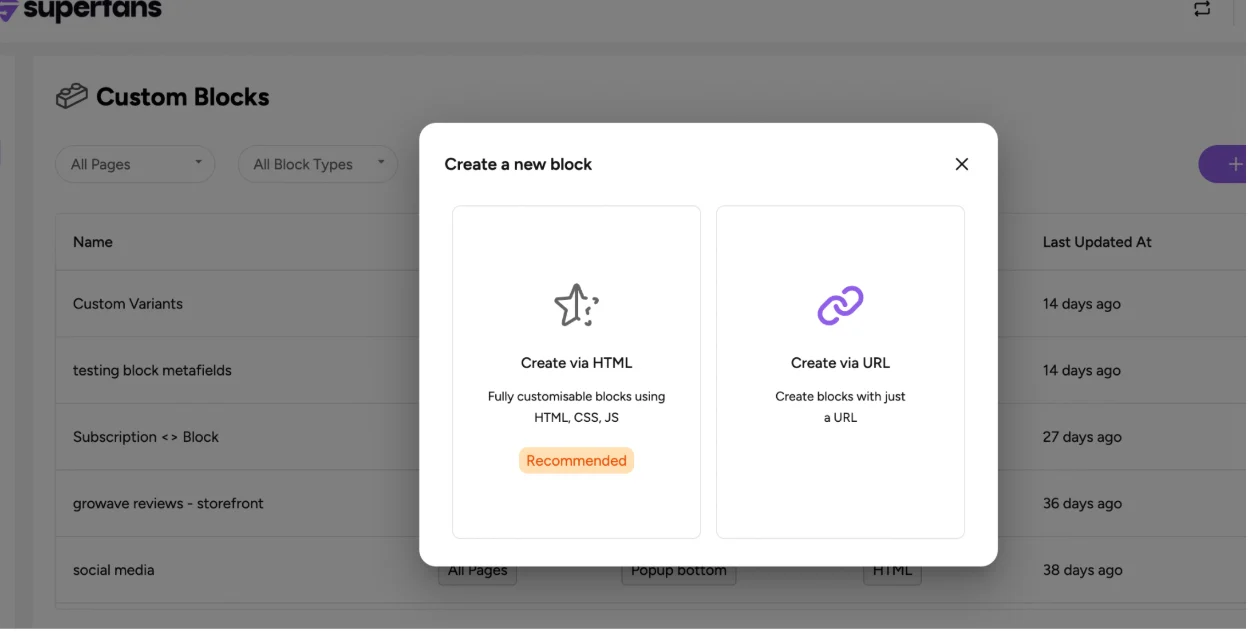
Choose Block Type
- Provide the following:
- Block name
- Block type
- Block placement
- Click on Create Block.
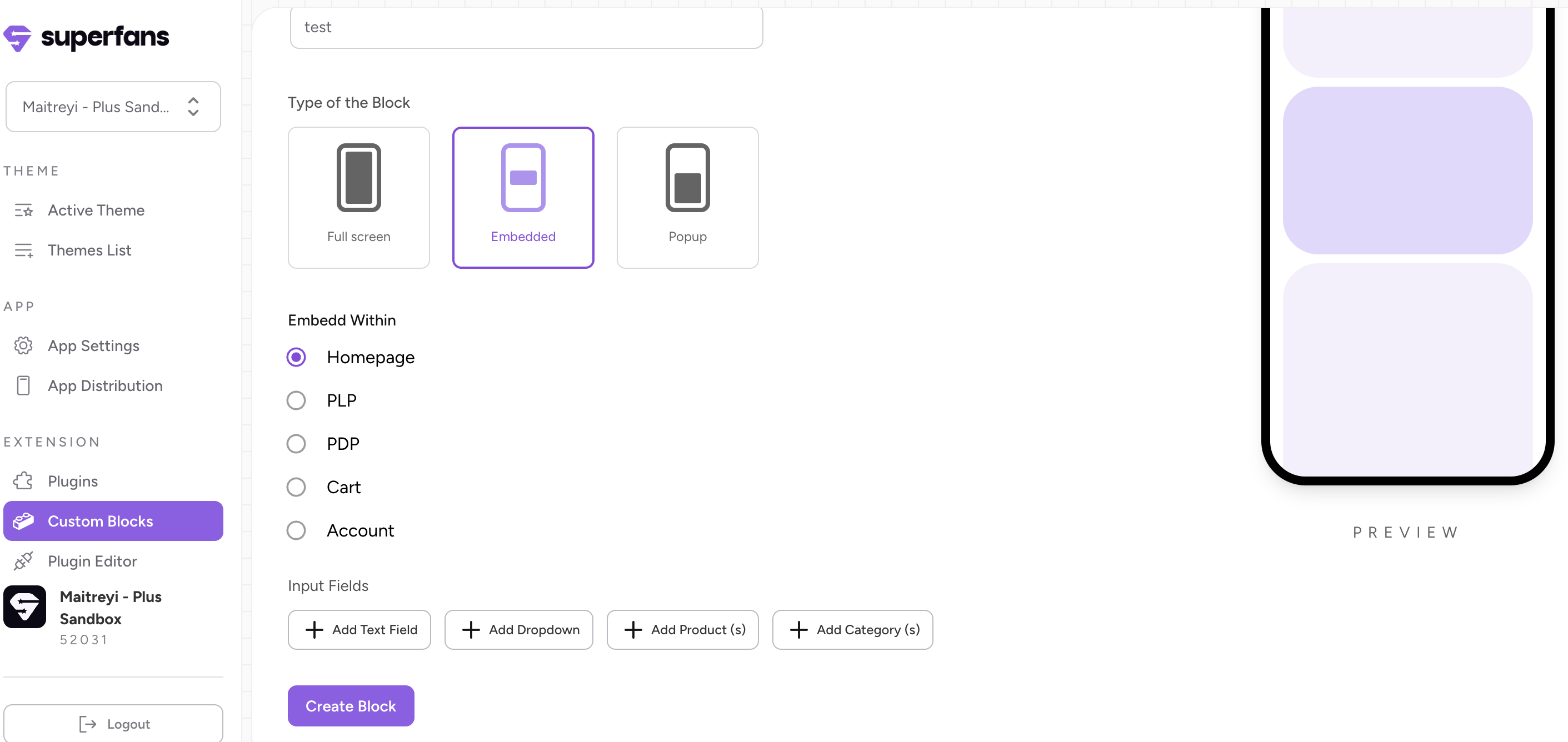
Your block is now created. You can customize it however you want and add it to the respective page.
Add Input Fields for the Blocks
Product picker as input field
-
To create inputs at the block level, click on Edit Custom Block Details on the top right.
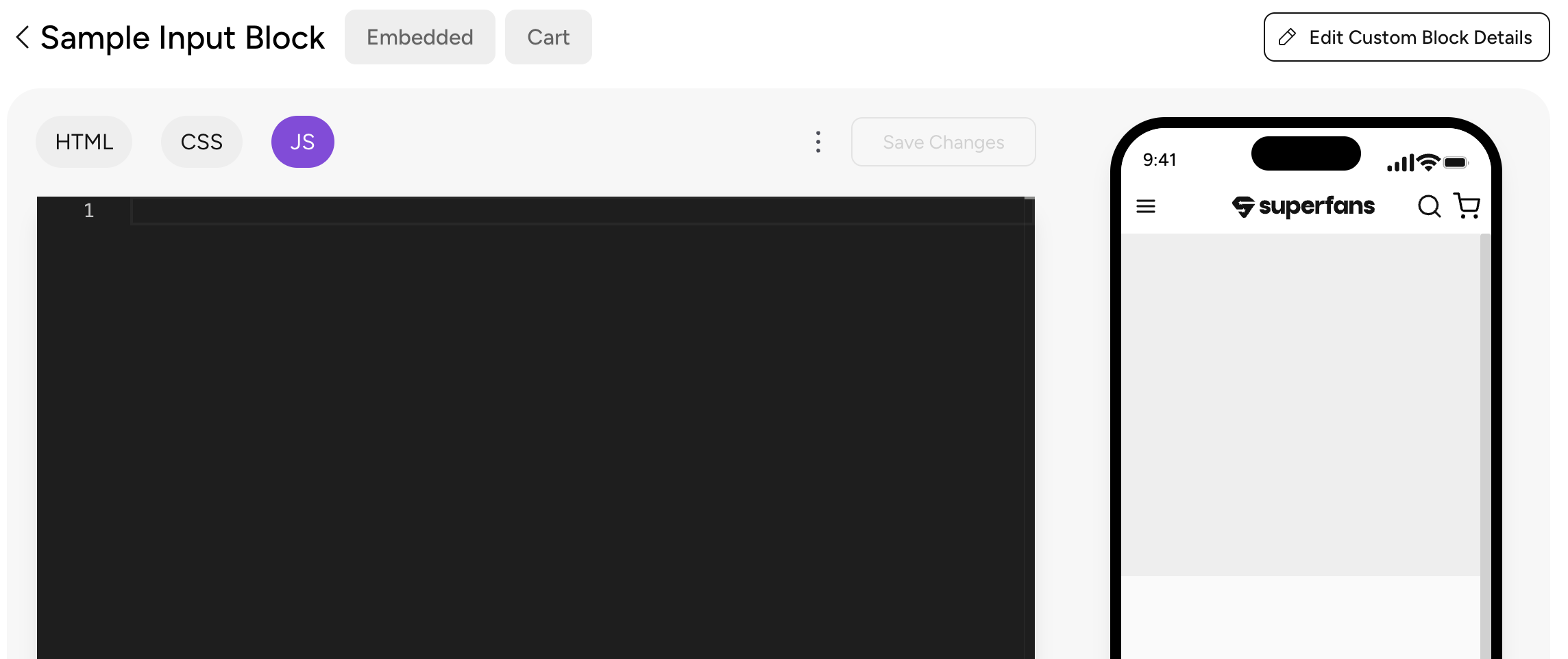
-
To have the input type as Product Picker, click on "Add Products".
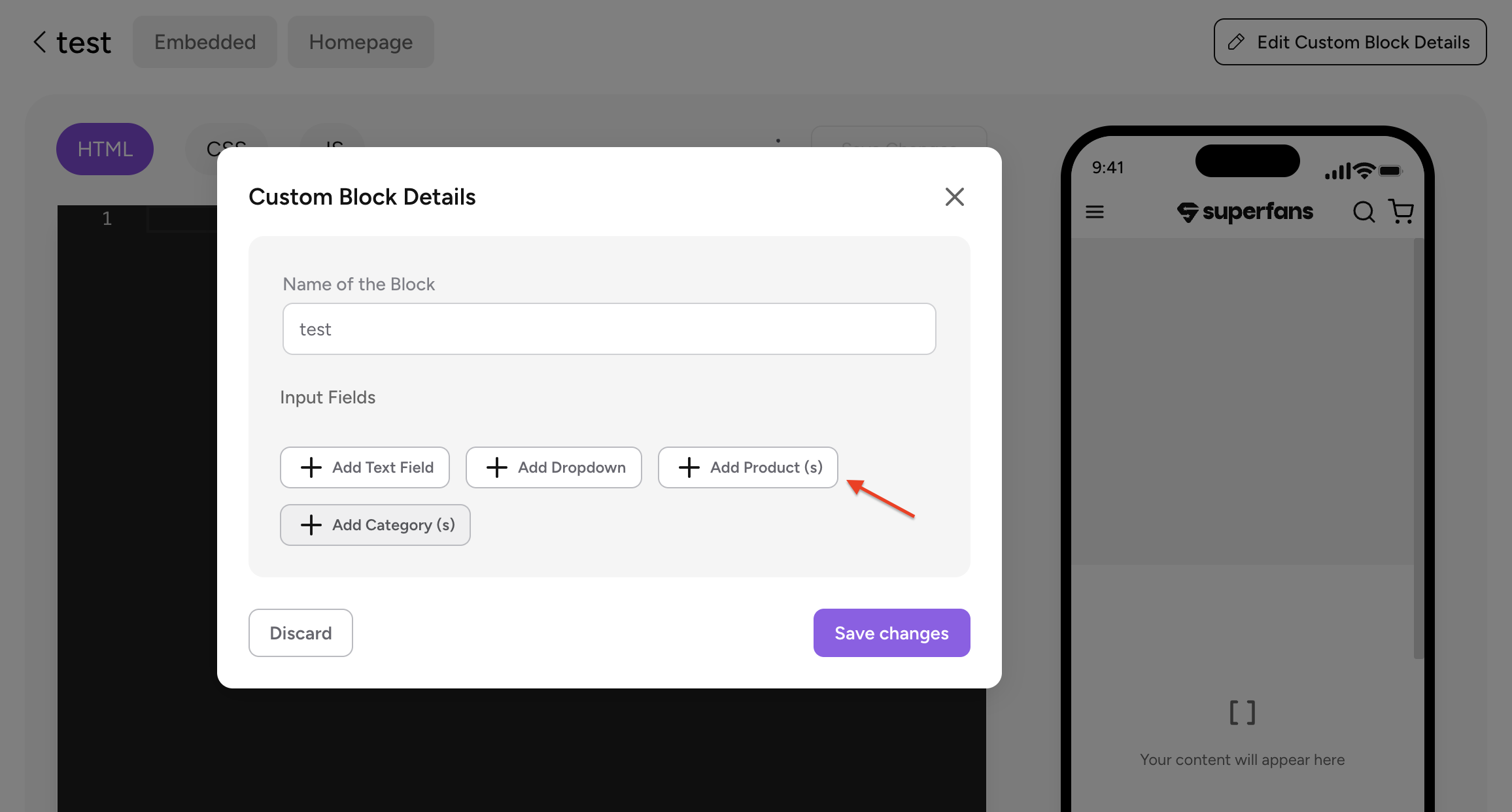
-
Provide the Title, placeholder text and content for tooltip (Optional).
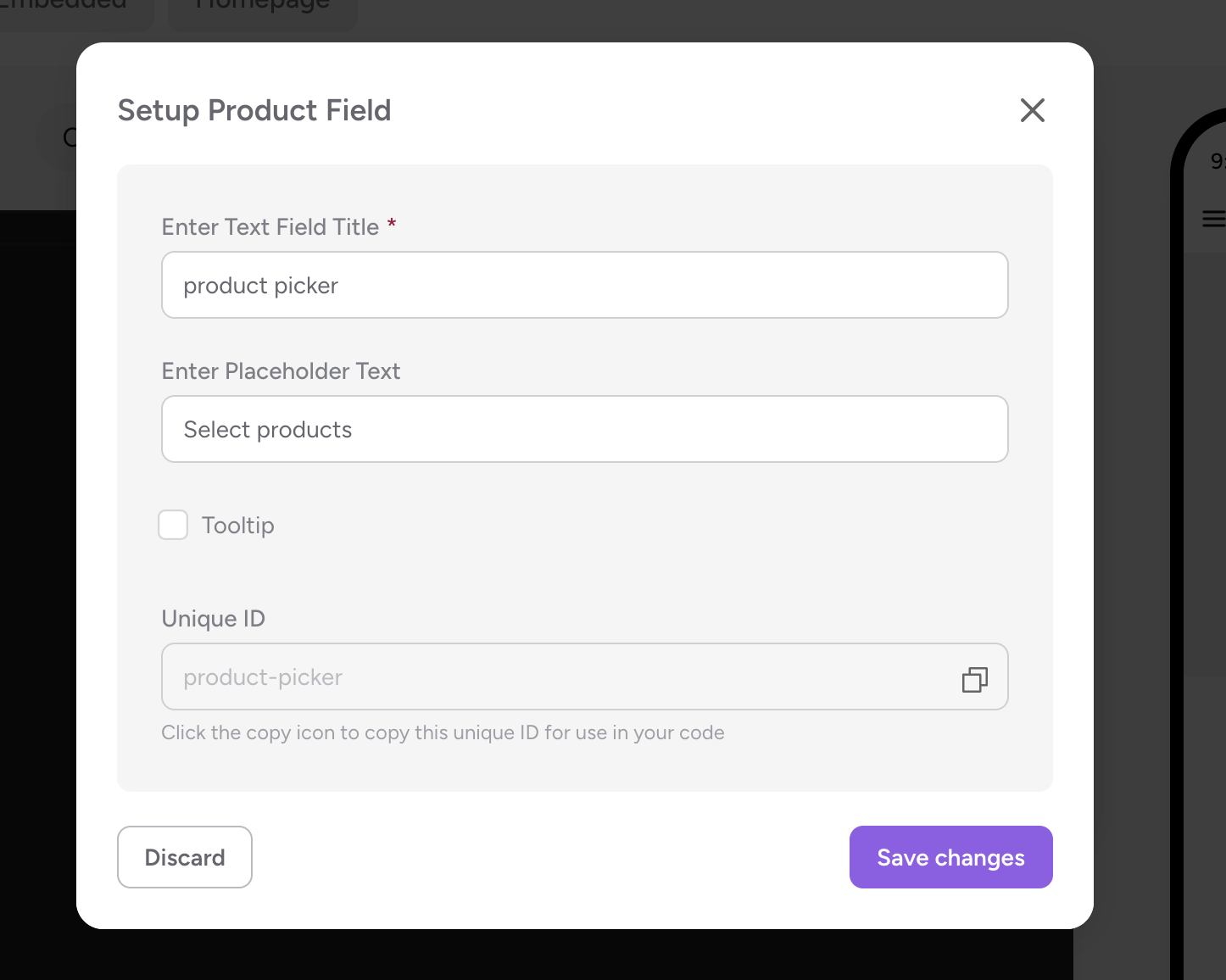
-
Make Sure you copy the unique ID of this input field.
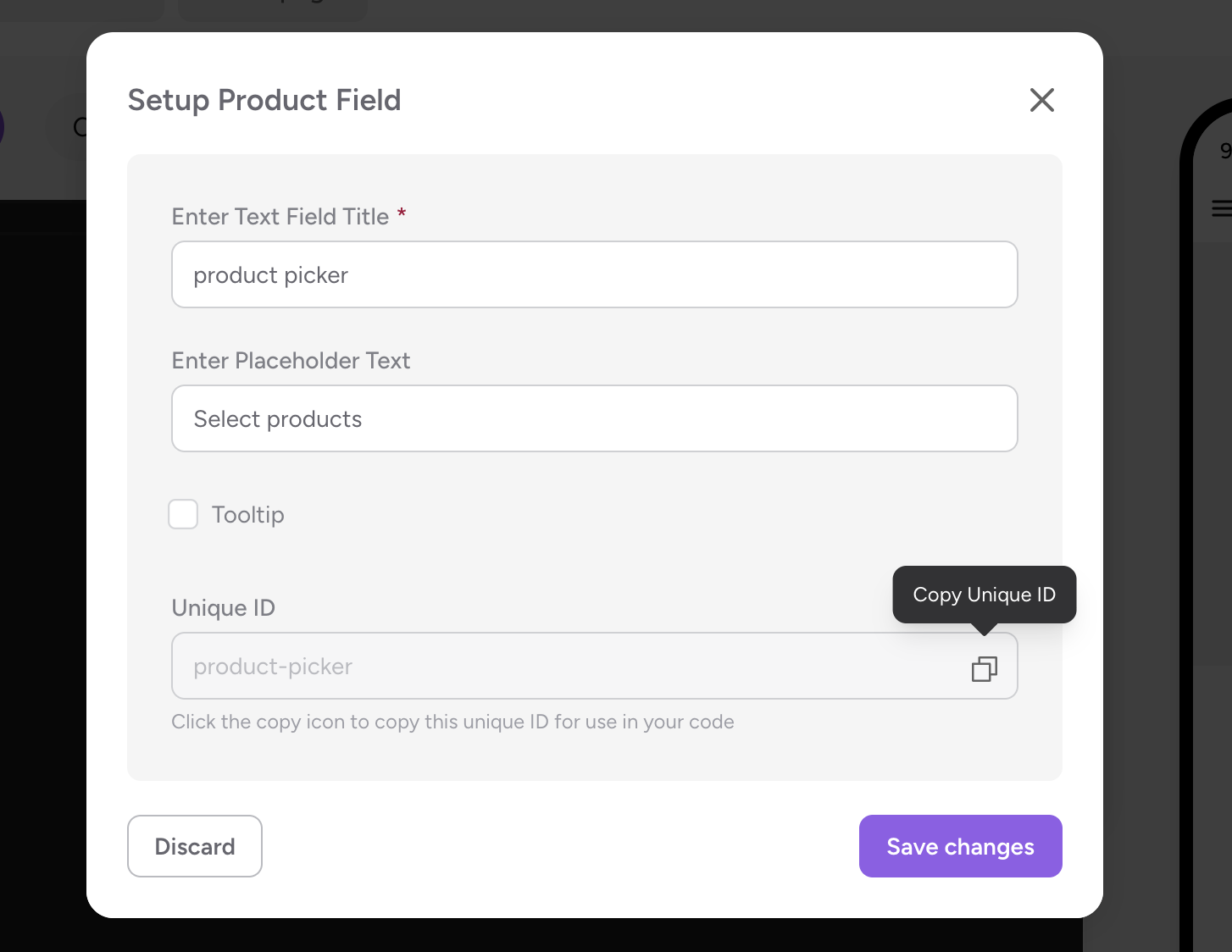 Collection picker as input field
 -
To have the input type as Collection Picker, click on "Add Category(s)".
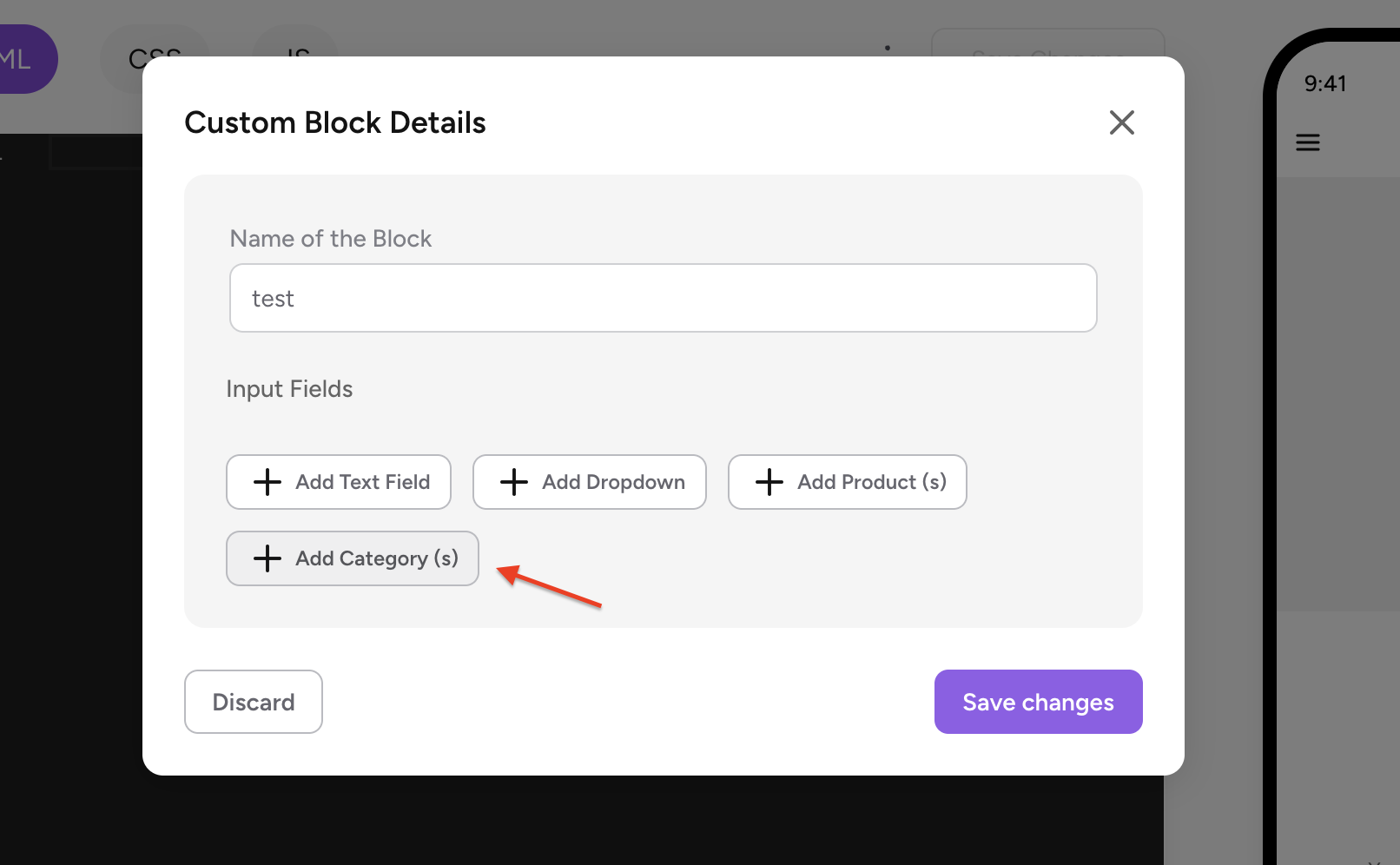
-
Provide the Title, placeholder text and content for tooltip (Optional).
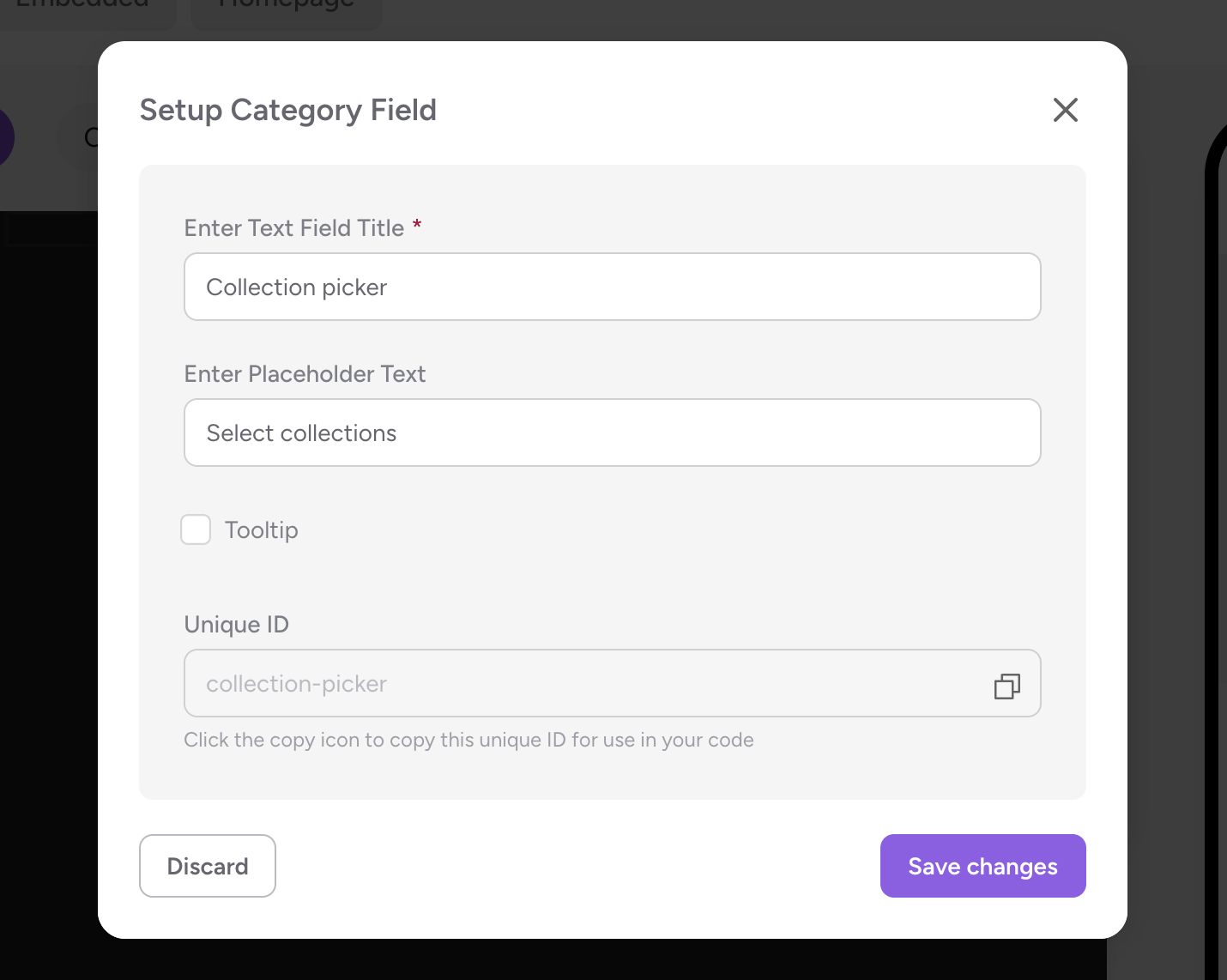
-
Make Sure you copy the unique ID of this input field.
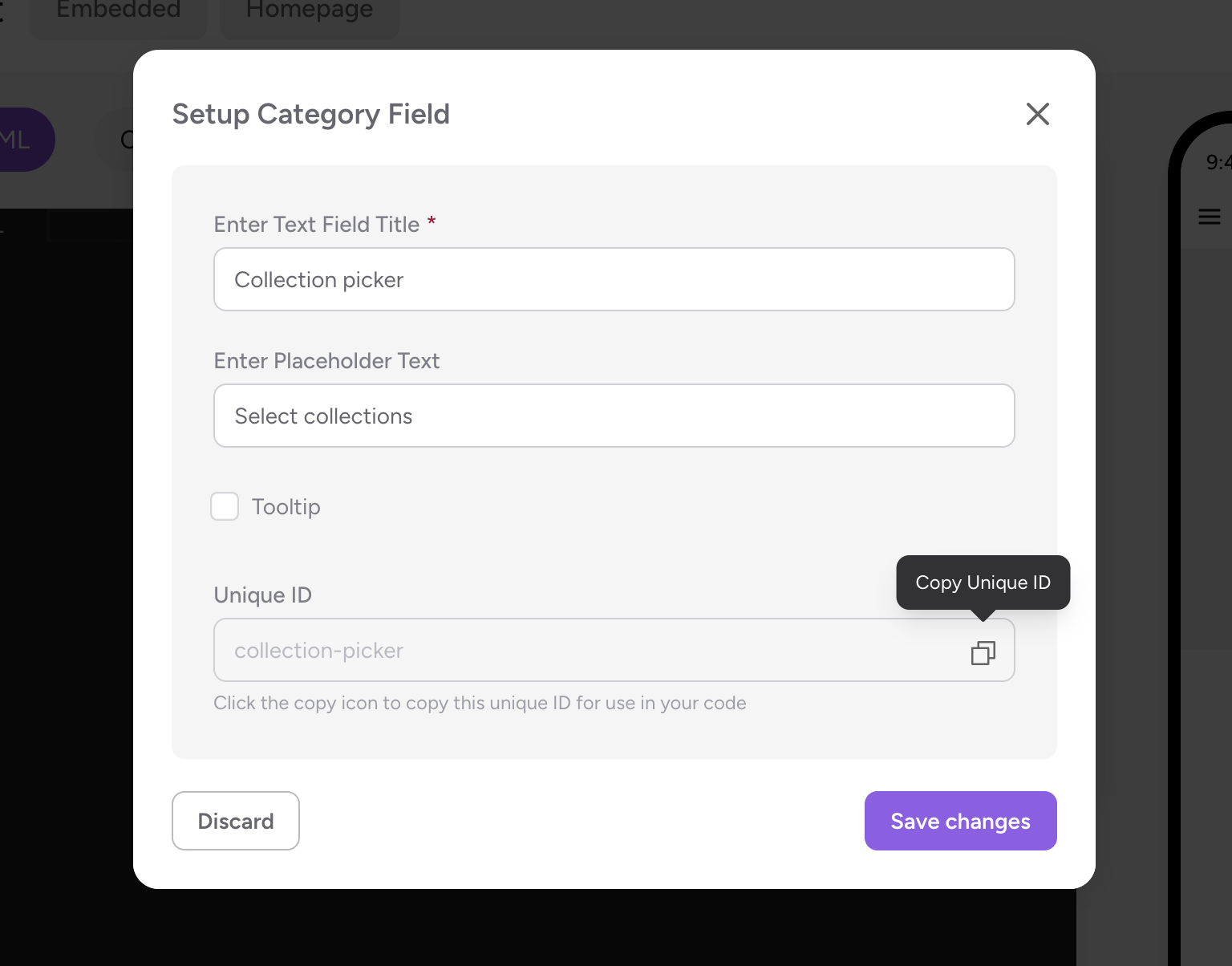
-
Click on Save Changes. And now, the input field is added to custom blocks.
Start Coding
- For the required use case, Add the required HTML code in the HTML section of the editor.
- Add the corresponding CSS to beautify the Elements in CSS section.
- To retrieve the values from the input fields, make sure you follow this syntax in JS section.
// If single product is selected. (This returns only the variant ID of the product selected)
const freebie_products = JSON.parse(customBlockConfig['<unique ID of the input provided>']);
const freebieVariantId = freebie_products[0].variants[0].id;


// If multiple products are selected (This returns only the variant IDs of the products selected)

const freebie_products = JSON.parse(customBlockConfig['<unique ID of the input provided>']);
const variantIds = products.flatMap(p => p.variants.map(v => v.id))
// ["45253060690105"]
- Provide the necessary logic required for the desired use case click on Save changes.
- Place the block in the desired page of the app and thats all! We're done!
Here's the sample code which adds free product to the cart if the cart total is greater than $50. The customer can select which product needs to be added as freebie to cart.
const CART_THRESHOLD = 50;
// Get freebie variant ID from block config
const freebie_products = JSON.parse(customBlockConfig['freebie-product']);
const freebieVariantId = freebie_products[0].variants[0].id;
function handleFreebie() {
  const cart = Superfans.variables.cart;
  const cartSubtotal = cart?.subtotal || 0;
  // Check if freebie is already in cart
  const freebieLineItem = cart?.items?.find(item => item.variantId === freebieVariantId);
  if (cartSubtotal > CART_THRESHOLD && !freebieLineItem) {
    // Add freebie
    Superfans.actions.addToCart([
      {
        variantId: freebieVariantId,
        quantity: 1,
        attributes: [{ key: "_read_only", value: "true" }] // prevents user from editing quantity
      }
    ]).then(() => {
      Superfans.actions.showToast({
        title: "🎁 Freebie Added!",
        message: "You've unlocked a free gift!"
      });
    }).catch(err => console.error("Error adding freebie:", err));
  } else if (cartSubtotal <= CART_THRESHOLD && freebieLineItem) {
    // Remove freebie if cart drops below threshold
    Superfans.actions.removeFromCart([freebieLineItem.lineItemId])
      .then(() => {
        Superfans.actions.showToast({
          title: "Freebie Removed",
          message: "Add more items to unlock your free gift!"
        });
      }).catch(err => console.error("Error removing freebie:", err));
  }
}
// Run on load
handleFreebie();
// Re-run whenever cart changes
Superfans.listeners.onCartUpdated(() => {
  handleFreebie();
});
User interface while configuring the block
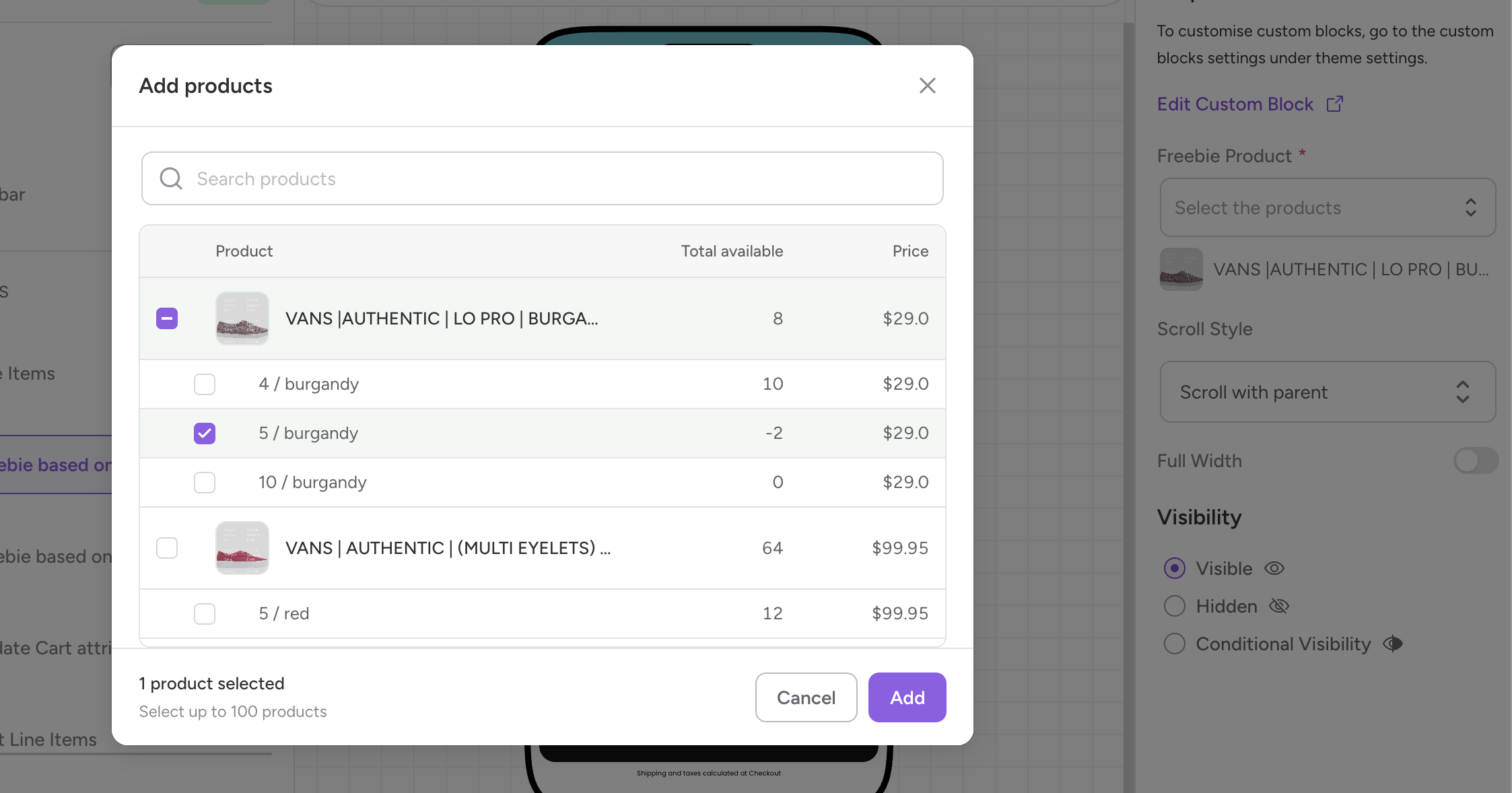
Updated 3 months ago