
Open Landing Page
Opens custom built pages within the app.
The openLandingPage action navigates the user to a specific Landing Page created or configured within the Superfans app.
Landing pages are often used for campaigns, featured collections, or content-driven experiences — and this action allows you to open them programmatically from any screen.
Function Signature
Superfans.actions.openLandingPage({
		pageId: "pag_0mm7rxymp2p3s"
})
You can get the landing page url from the Superfans dashboard
| Parameter | Type | Required | Description |
|---|---|---|---|
| pageId | String | yes | The ID is retrieved from Superfans dashboard |
Steps to create and retrieve Landing Page ID
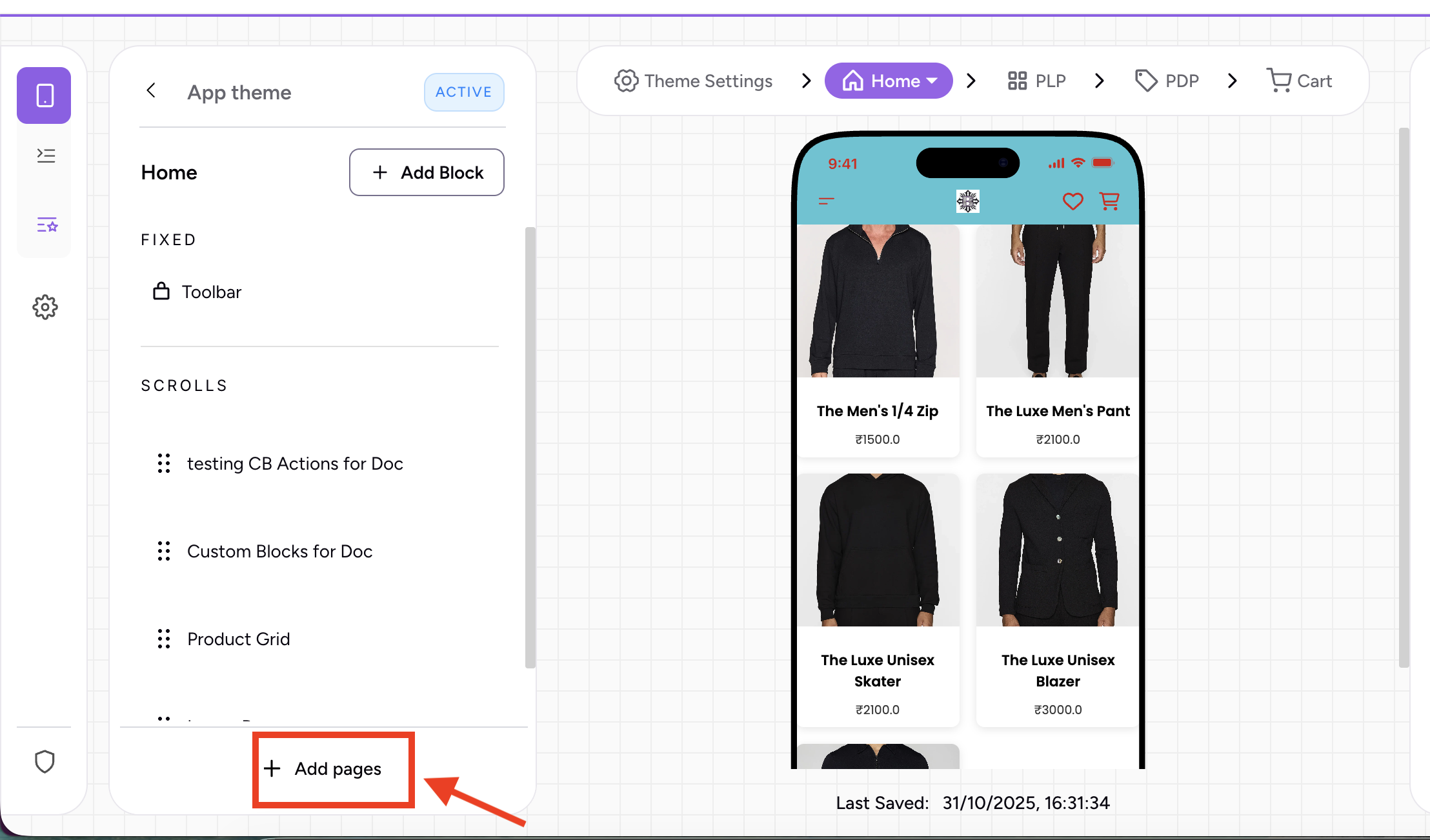
To create a Landing Page:
Click on Add Pages (at the bottom of the left panel)
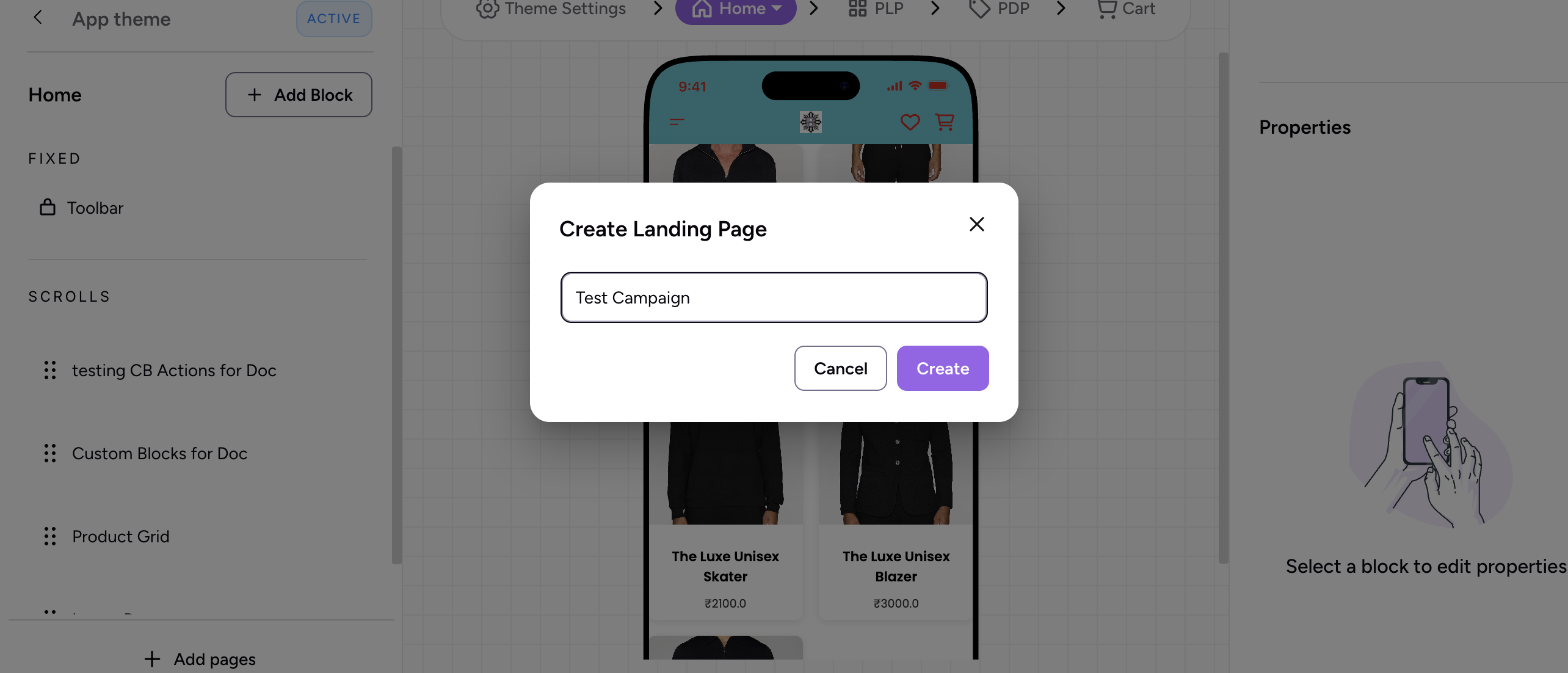
Provide the name and Click on Create
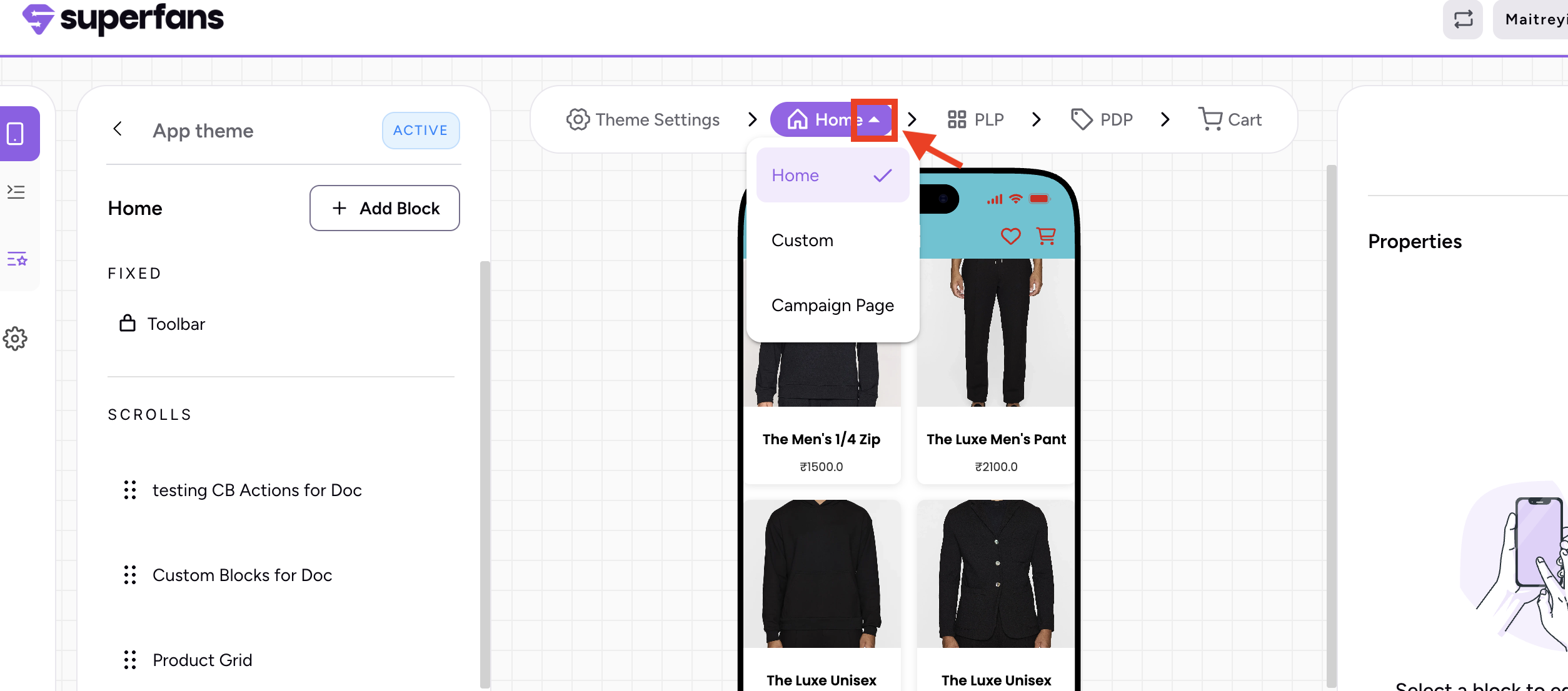
Retrieve Landing Page ID:
Click on the down arrow next to "Home" pill in the navigation bar and select the page for which you need the ID.
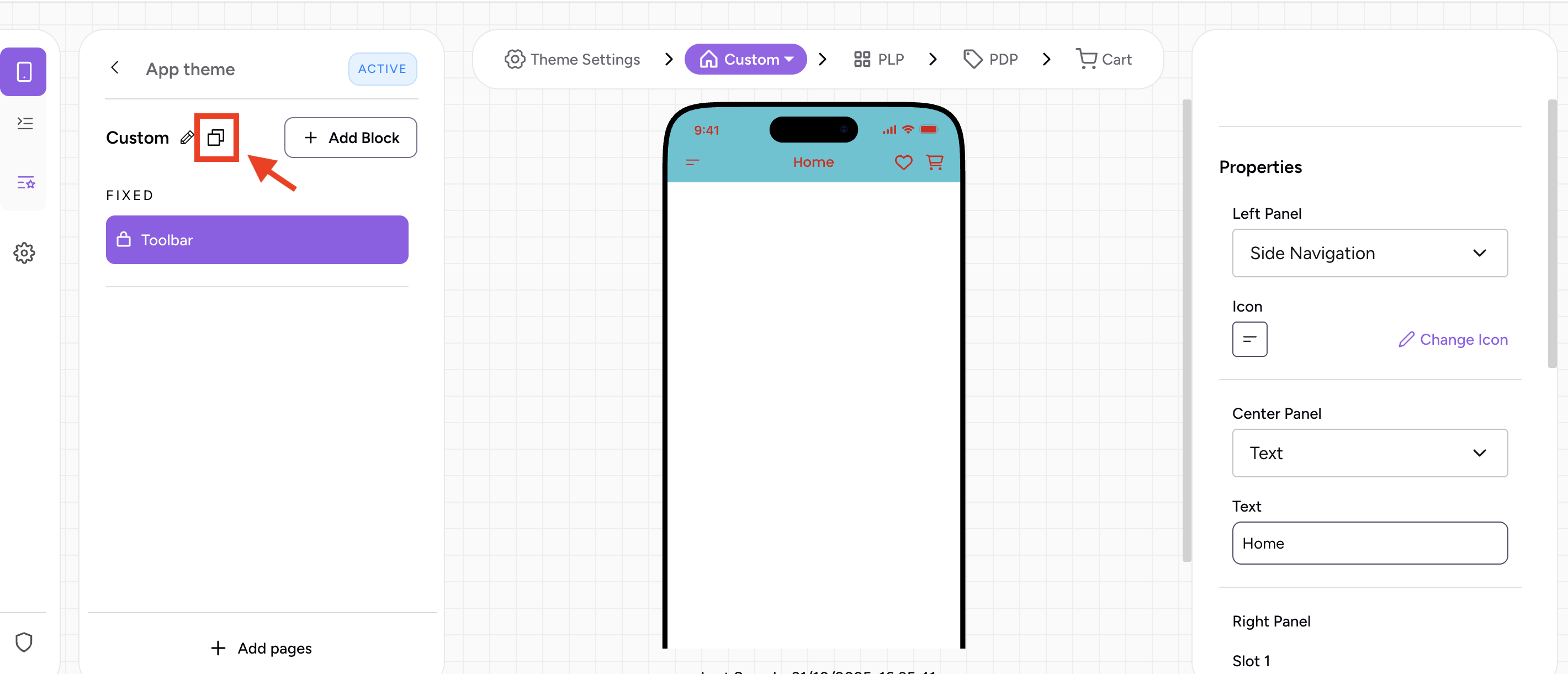
Click on the clipboard icon next to the page name and there you go!
Structure of Response
| Status | Response |
|---|---|
| Success | { "status": "success", "message": "Landing page opened successfully" } |
| Invalid Url | { "status": "error", "errorId": 400, "errorHandle": "invalid-url", "message": "Invalid url" } |
| Unexpected Error | { "status": "error", "errorId": 500, "errorHandle": "unknown-error", "message": "Something unexpected happened" } |
Example Usage
Best Practices
- Leverage analytics: Track how often landing pages are opened to measure campaign performance.
- Combine with openCollection: For promotional landing pages that lead into product collections.
- Promote cross-navigation: Use this action for CTAs like “Explore Now” or “Discover More”.
Caveats
- Landing Page must exist: The page must be published and configured in Superfans.
- App-only context: This action works within the mobile app, not on a web preview.
- No return event: Does not emit any event after page navigation.
Updated 5 months ago
Did this page help you?