
Open Custom Block
Opens a block built from the low code builder
Description
The openCustomBlock action opens a specific custom block within the Superfans app.
Custom blocks are reusable, developer-defined UI components that extend app functionality — such as loyalty widgets, referral screens, or promotional experiences. This action allows you to programmatically launch those blocks from anywhere in your app.
Function SIgnature
Superfans.actions.openCustomBlock({
		type: "full_screen",
		id:  "cbk_5das675asd765asd",
		params:{ productId } //optional
 //optional
})

// (OR)

Superfans.actions.openCustomBlock({
		type: "popup_bottom",
		id: "cbk_5das675asd765asd"
})

//(OR)

Superfans.actions.openCustomBlock({
		type: "popup_center",
		id:  "cbk_5das675asd765asd"
})| Parameter | Type | Required | Description |
|---|---|---|---|
| type | String | yes | The type of the custom block created. values would be : full_screen, popup_center, popup_bottom |
| id | String | yes | The unique ID of the custom block created. |
| params | Object | no | This is optional parameter. You can pass any object like productID, CollectionID, etc., |
Retrieval of Block ID
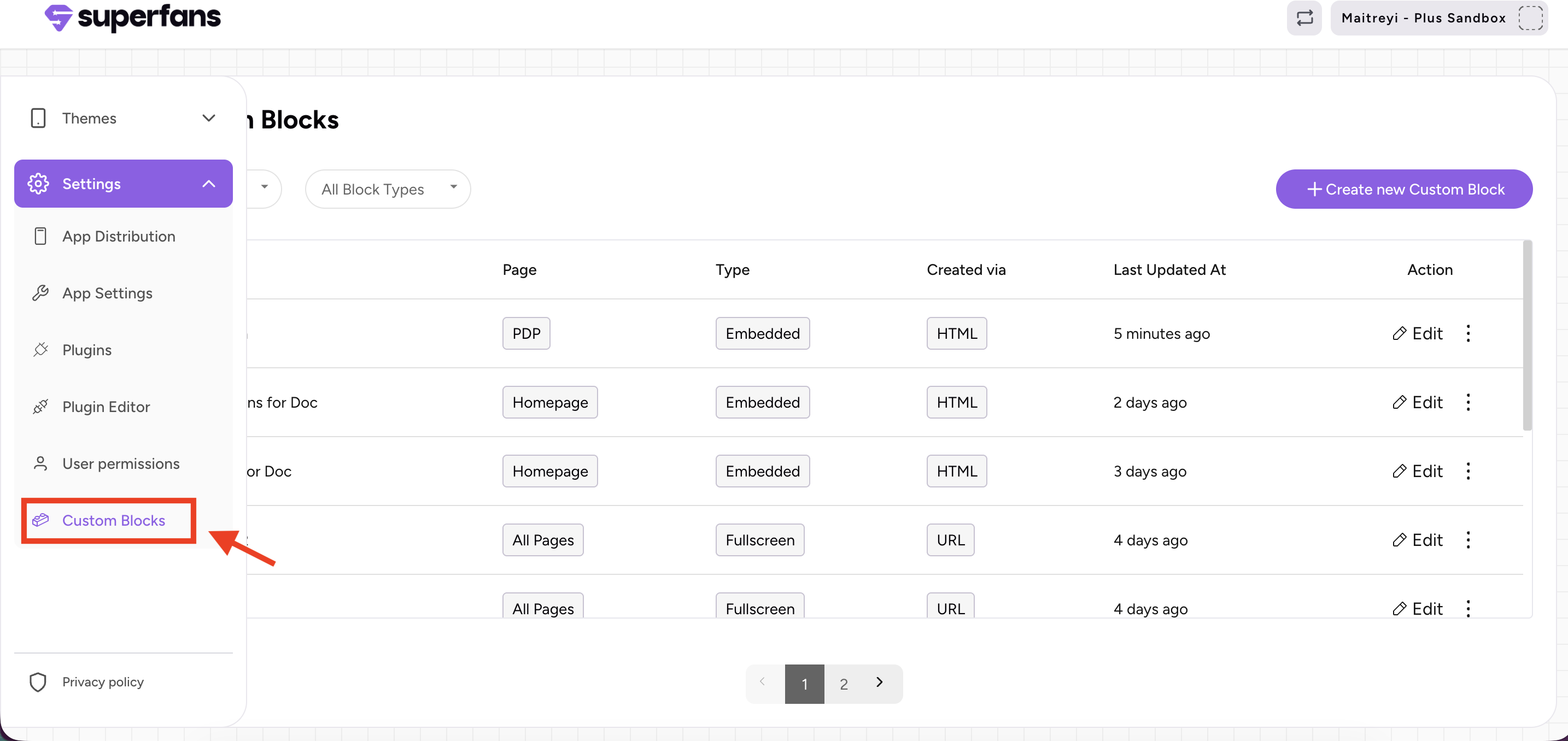
Step 1: Navigate to the Custom Block section in the Superfans dashboard and select the custom block you want to open through code.
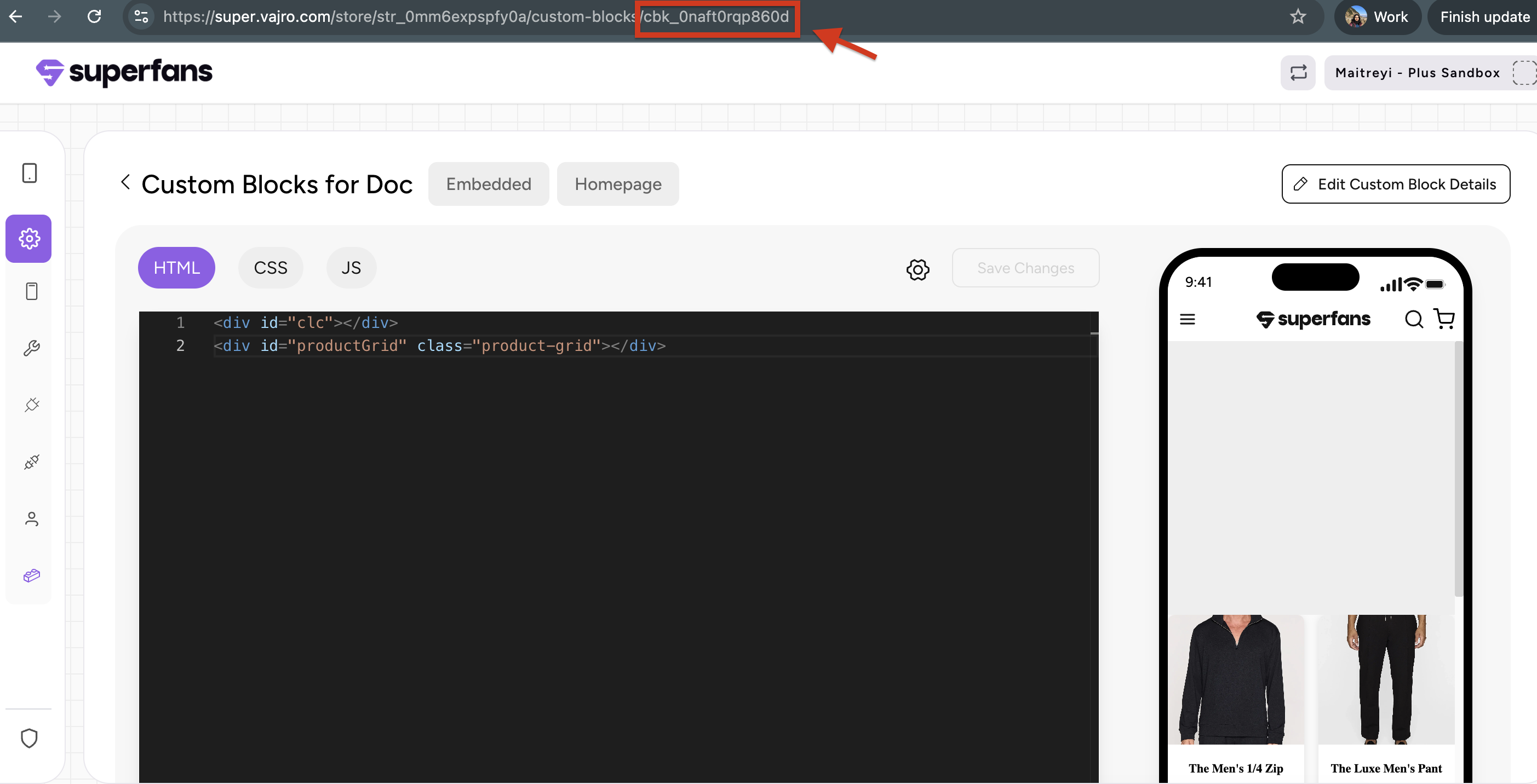
Step 2: Copy the ID of the custom block which is the at the end of the URL after "/".
Structure of Response
| Status | Response |
|---|---|
| Success | { "status": "success", "message": "Custom block opened successfully" } |
| Invalid Url | { "status": "error", "errorId": 400, "errorHandle": "invalid-url", "message": "Invalid url" } |
| Unexpected Error | { "status": "error", "errorId": 500, "errorHandle": "unknown-error", "message": "Something unexpected happened" } |
Example Usage
document.getElementById("ocb").addEventListener('click', () => {
Superfans.actions.openCustomBlock({
		type: "popup_bottom",
		id:  "cbk_0mshe0349jy0g"
})
});
<div class="cart-container">
<button class="open-cb-btn" id="ocb">Open Custom Block</button>
</div>.cart-container {
display: flex;
justify-content: center;
align-items: center;
height: 100vh;
background-color: #f0f0f0;
}
.open-cb-btn {
background-color: #28a745;
color: #fff;
border: none;
padding: 15px 30px;
border-radius: 8px;
font-size: 16px;
cursor: pointer;
transition: background-color 0.3s;
}
.open-cb-btn:hover {
background-color: #218838;
}Best Practices
- Pass relevant data via props: Use props to send dynamic content (like user status or campaign IDs).
- Combine with analytics: Track how often blocks are opened to measure feature engagement.
- Graceful fallbacks: Always include error handling (.catch()) for unpublished or missing blocks.
- Keep it lightweight: Avoid passing overly large data in props — use identifiers instead.
Caveats
- In-app context only: This action only works within the mobile app environment.
- No automatic data refresh: Blocks won’t auto-fetch new data unless coded to do so.
- Async execution: Always await or handle the Promise response to detect navigation completion.
Updated 5 months ago
Did this page help you?